Phần 1: HƯỚNG DẪN CÀI ĐẶT & CẤU HÌNH CƠ BẢN PROXMOX VE Part 1: Proxmox VE Installation & Basic Configuration Guide
I. CÀI ĐẶT PROXMOX I. PROXMOX INSTALLATION
1. Cài đặt 1. Installation
Quá trình cài đặt cơ bản trên server vật lý. Basic installation process on physical server.
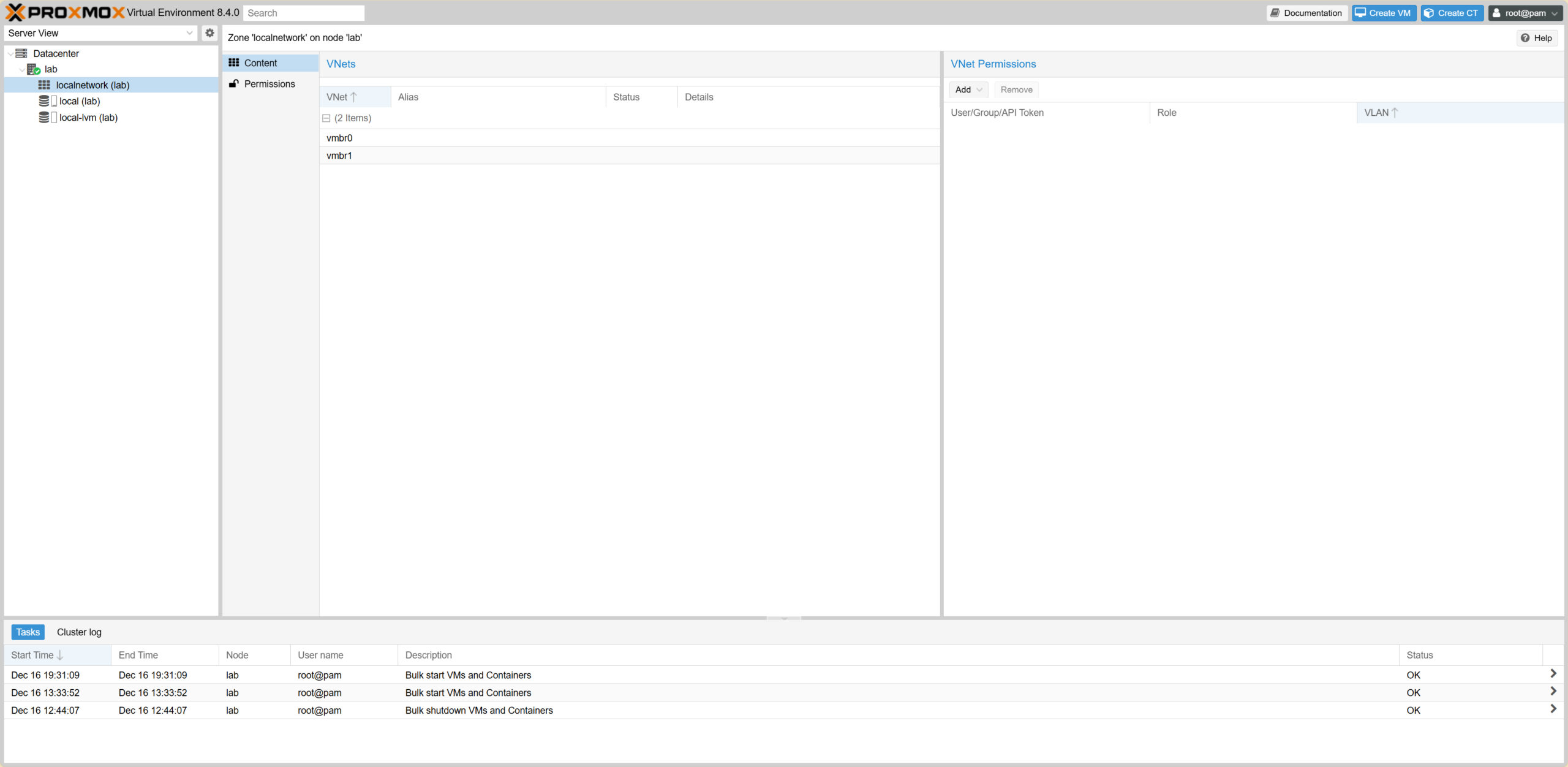 Installation Step 1
Bước cài đặt 1
Installation Step 1
Bước cài đặt 1
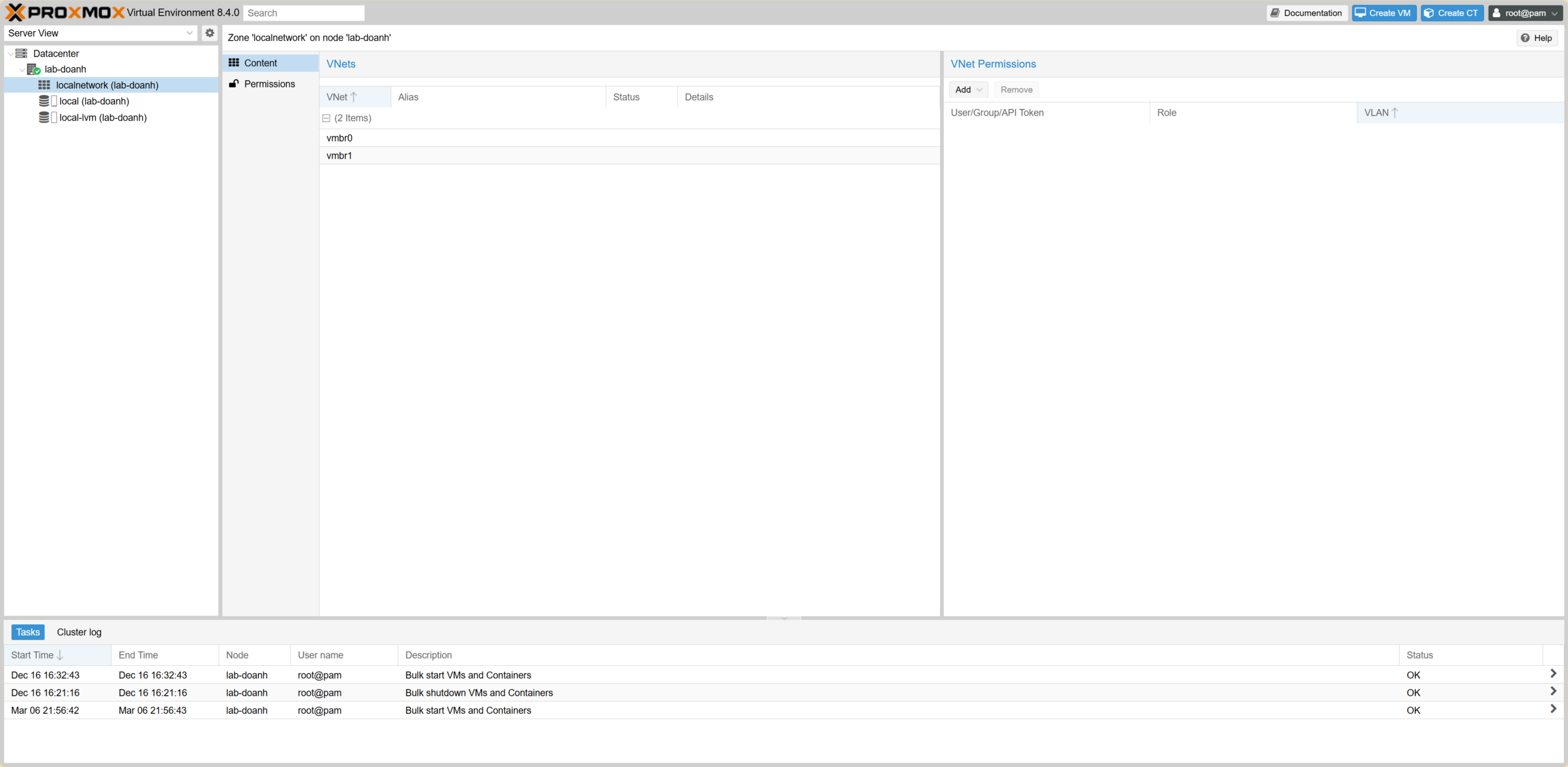 Installation Step 2
Bước cài đặt 2
Installation Step 2
Bước cài đặt 2
2. Topology 2. Topology
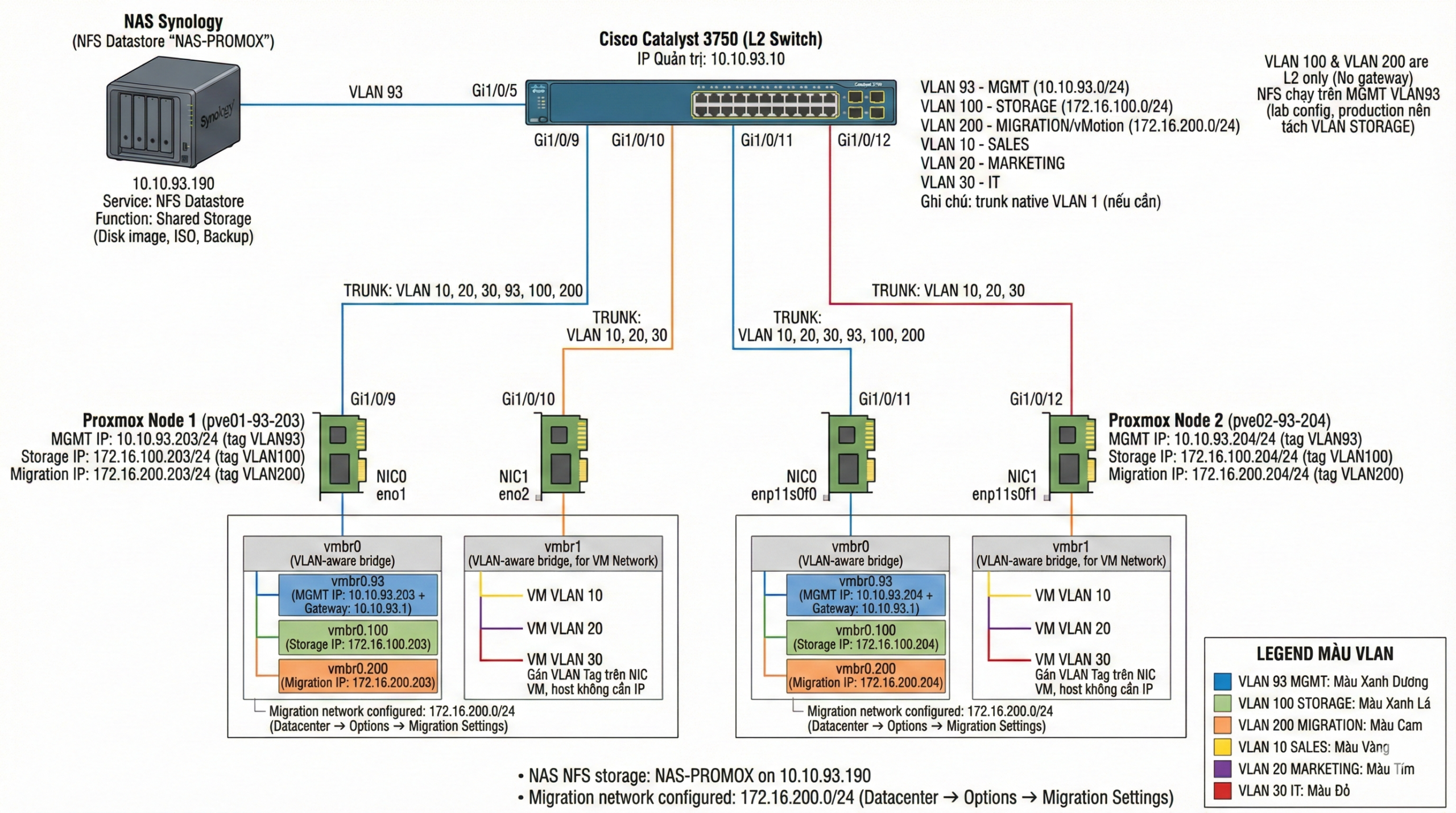 Proxmox Lab Topology
Sơ đồ Topology Proxmox Lab
Proxmox Lab Topology
Sơ đồ Topology Proxmox Lab
II. CẤU HÌNH NETWORK INTERFACE II. NETWORK INTERFACE CONFIGURATION
Gán Tag VLAN93 Assign VLAN93 Tag
1. Cấu hình cho Node 93.203Configuration for Node 93.203
1.1 /etc/network/interfaces
Cấu hình CŨ (Old Config)OLD Configuration
auto lo
iface lo inet loopback

iface eno1 inet manual

auto vmbr0
iface vmbr0 inet static
        address 10.10.93.203/24
        gateway 10.10.93.1
        bridge-ports eno1
        bridge-stp off
        bridge-fd 0

iface eno2 inet manual

source /etc/network/interfaces.d/*
Cấu hình MỚI (New Config – VLAN Aware)NEW Configuration (VLAN Aware)
auto lo
iface lo inet loopback

iface eno1 inet manual
iface eno2 inet manual

auto vmbr0
iface vmbr0 inet manual
        bridge-ports eno1
        bridge-stp off
        bridge-fd 0
        bridge-vlan-aware yes
        bridge-vids 2-4094

auto vmbr0.93
iface vmbr0.93 inet static
        address 10.10.93.203/24
        gateway 10.10.93.1

auto vmbr1
iface vmbr1 inet manual
        bridge-ports eno2
        bridge-stp off
        bridge-fd 0
        bridge-vlan-aware yes
        bridge-vids 2-4094

source /etc/network/interfaces.d/*
1.2 Cấu hình Switch Cisco (Ports 9 & 10)Cisco Switch Configuration (Ports 9 & 10)
--- Config Port 9 (NIC0 - Management & Data)
SW3750#conf t
SW3750(config)#interface gi1/0/9
SW3750(config-if)#description 93.203-PROXMOX-NIC0
SW3750(config-if)#switchport trunk encapsulation dot1q
SW3750(config-if)#switchport mode trunk
SW3750(config-if)#switchport trunk allowed vlan 10,20,30,93,100,200
SW3750(config-if)#switchport nonegotiate
SW3750(config-if)#spanning-tree portfast trunk
SW3750(config-if)#exit

--- Config Port 10 (NIC1 - Extra Data)
SW3750(config)#interface gi1/0/10
SW3750(config-if)#description 93.203-PROXMOX-NIC1
SW3750(config-if)#switchport trunk encapsulation dot1q
SW3750(config-if)#switchport mode trunk
SW3750(config-if)#switchport trunk allowed vlan 10,20,30
SW3750(config-if)#switchport nonegotiate
SW3750(config-if)#spanning-tree portfast trunk
SW3750(config-if)#end
2. Cấu hình cho Node 93.204Configuration for Node 93.204
2.1 /etc/network/interfaces
Cấu hình CŨ (Old Config)OLD Configuration
auto lo
iface lo inet loopback

iface enp11s0f0 inet manual

auto vmbr0
iface vmbr0 inet static
        address 10.10.93.204/24
        gateway 10.10.93.1
        bridge-ports enp11s0f0
        bridge-stp off
        bridge-fd 0

iface enp11s0f1 inet manual
iface enxe61f13ab0927 inet manual

source /etc/network/interfaces.d/*
Cấu hình MỚI (New Config – VLAN Aware)NEW Configuration (VLAN Aware)
auto lo
iface lo inet loopback

iface enp11s0f0 inet manual
iface enp11s0f1 inet manual

# vSwitch0 (uplink NIC0): trunk 10/20/30/93/100/200 (do switch allow)
auto vmbr0
iface vmbr0 inet manual
        bridge-ports enp11s0f0
        bridge-stp off
        bridge-fd 0
        bridge-vlan-aware yes
        bridge-vids 2-4094

# Management Interface on VLAN 93 (Tách management ra VLAN riêng)
auto vmbr0.93
iface vmbr0.93 inet static
        address 10.10.93.204/24
        gateway 10.10.93.1

# vSwitch1 (uplink NIC1): trunk 10/20/30 (do switch allow)
auto vmbr1
iface vmbr1 inet manual
        bridge-ports enp11s0f1
        bridge-stp off
        bridge-fd 0
        bridge-vlan-aware yes
        bridge-vids 2-4094

source /etc/network/interfaces.d/*
Sau khi lưu file, chạy lệnh:
After saving, run command:
ifreload -a
2.2 Cấu hình Switch Cisco (Ports 11 & 12)Cisco Switch Configuration (Ports 11 & 12)
--- Config Port 11 (NIC0 - Management & Data)
SW3750#conf t
SW3750(config)#interface gi1/0/11
SW3750(config-if)#description 93.204-PROXMOX-NIC0
SW3750(config-if)#switchport trunk encapsulation dot1q
SW3750(config-if)#switchport mode trunk
SW3750(config-if)#switchport trunk allowed vlan 10,20,30,93,100,200
SW3750(config-if)#switchport nonegotiate
SW3750(config-if)#spanning-tree portfast trunk
SW3750(config-if)#exit

--- Config Port 12 (NIC1 - Extra Data)
SW3750(config)#interface gi1/0/12
SW3750(config-if)#description 93.204-PROXMOX-NIC1
SW3750(config-if)#switchport trunk encapsulation dot1q
SW3750(config-if)#switchport mode trunk
SW3750(config-if)#switchport trunk allowed vlan 10,20,30
SW3750(config-if)#switchport nonegotiate
SW3750(config-if)#spanning-tree portfast trunk
SW3750(config-if)#end
III. CẤU HÌNH TÍNH NĂNG CƠ BẢN III. BASIC FEATURE CONFIGURATION
1. Cấu hình cho Node 93.203Configuration for Node 93.203
Các bước cấu hình chi tiết cho Node 93.203. Detailed configuration steps for Node 93.203.
1.1 Tạo thêm IP (VLAN sub-interface)Create IP (VLAN sub-interface)
1.1.1 Create VLAN 100 (STORAGE)Create VLAN 100 (STORAGE)
Tạo VLAN 100 với profile “vmbr0.100” & IP: 172.16.100.203/24. Create VLAN 100 with profile “vmbr0.100” & IP: 172.16.100.203/24.
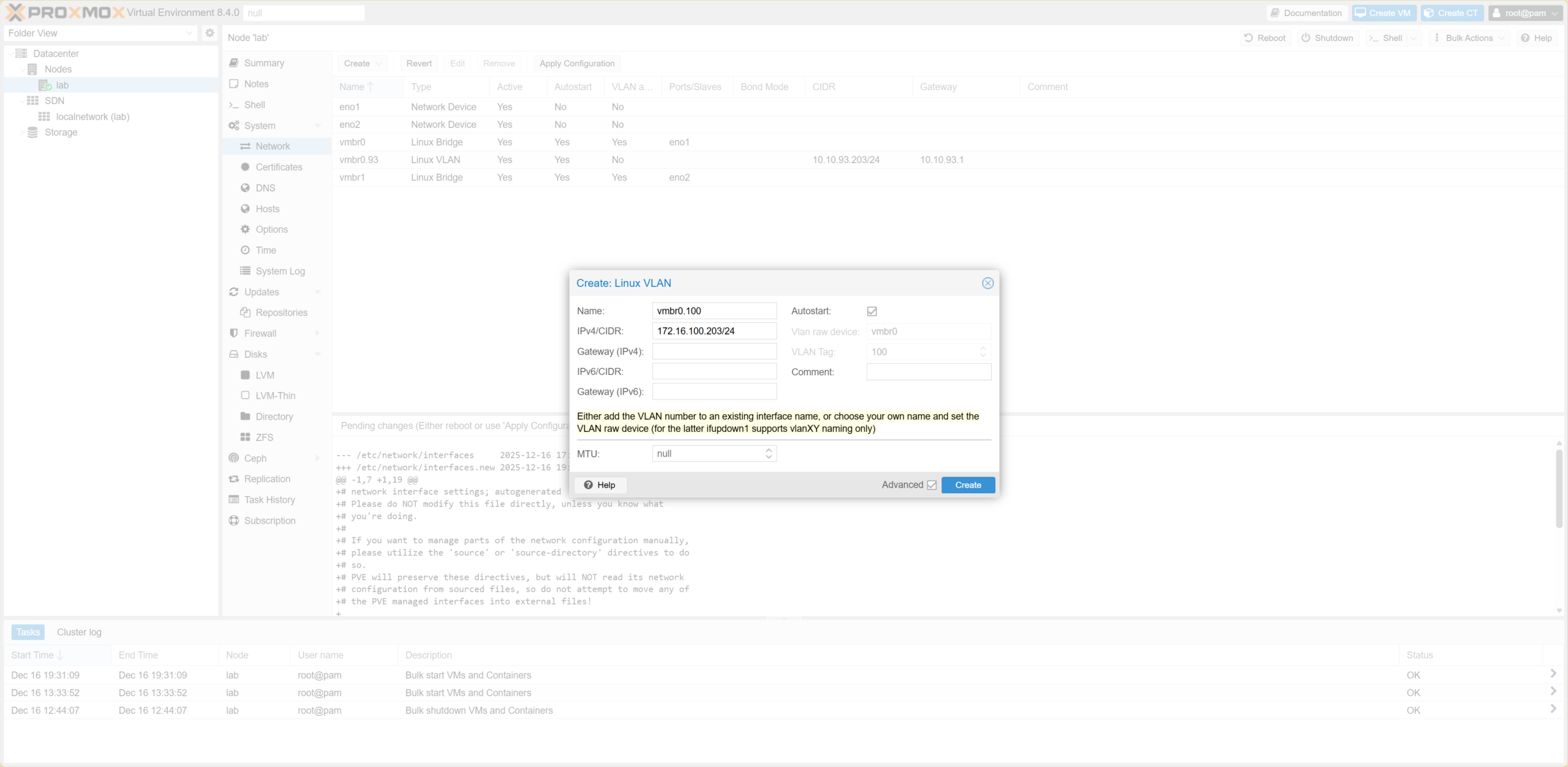 Create Linux VLAN
Tạo Linux VLAN
Create Linux VLAN
Tạo Linux VLAN
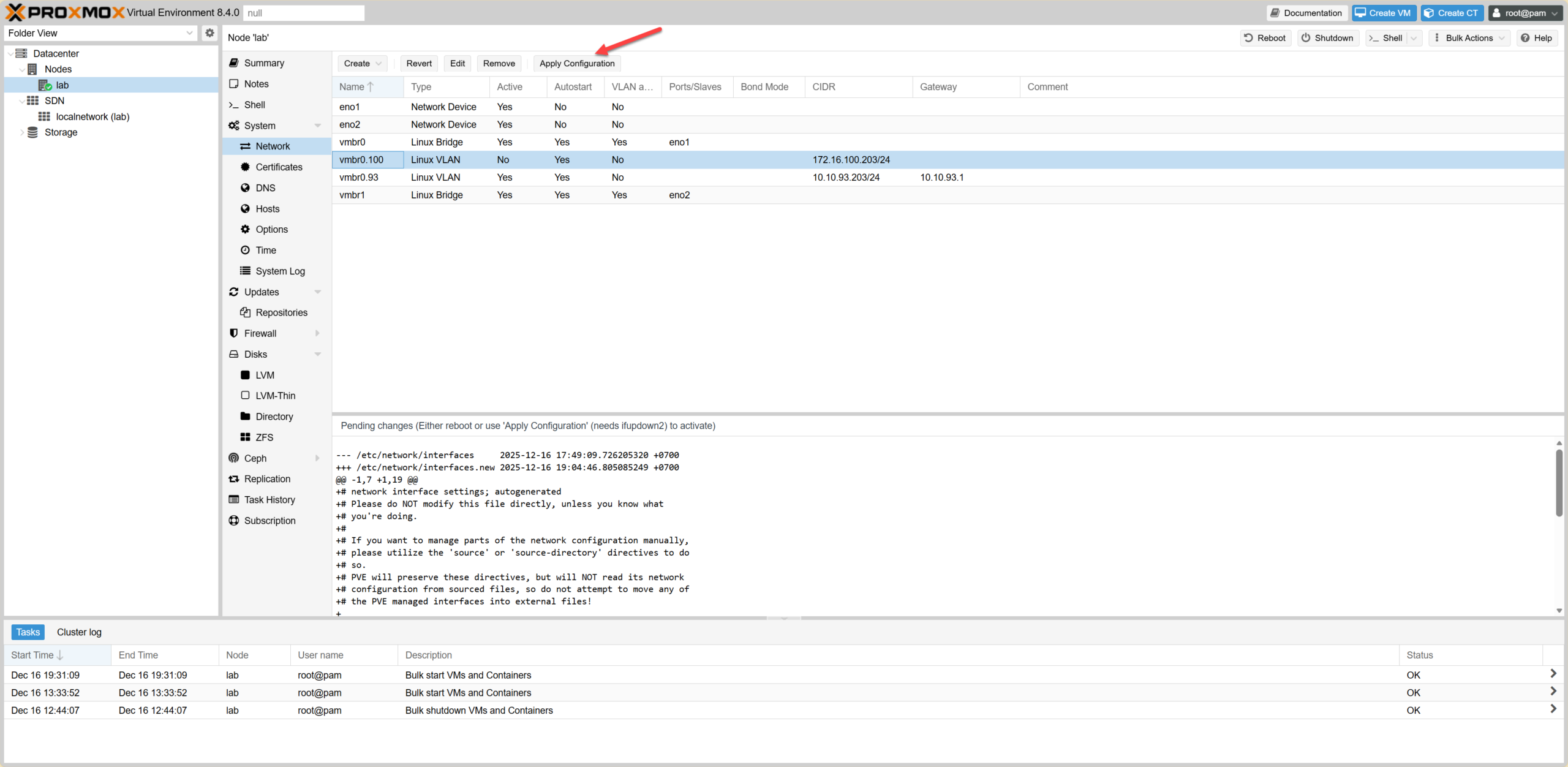 Configure VLAN 100 Details
Chi tiết cấu hình VLAN 100
Configure VLAN 100 Details
Chi tiết cấu hình VLAN 100
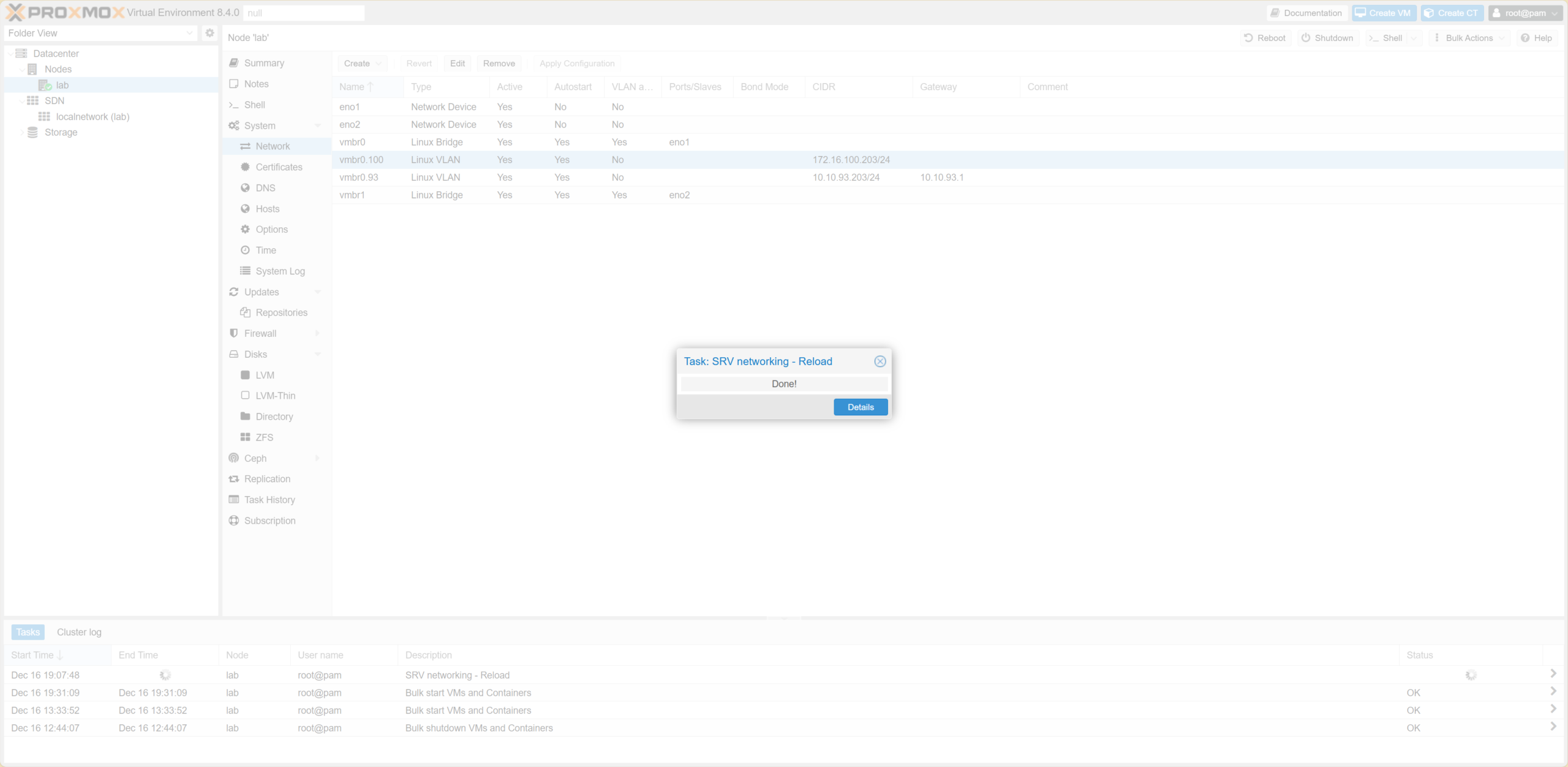 Apply Configuration
Áp dụng cấu hình
Apply Configuration
Áp dụng cấu hình
1.1.2 Create VLAN 200 (vMotion)Create VLAN 200 (vMotion)
Tạo VLAN 200 với profile “vmbr0.200” & IP: 172.16.200.203/24. Create VLAN 200 with profile “vmbr0.200” & IP: 172.16.200.203/24.
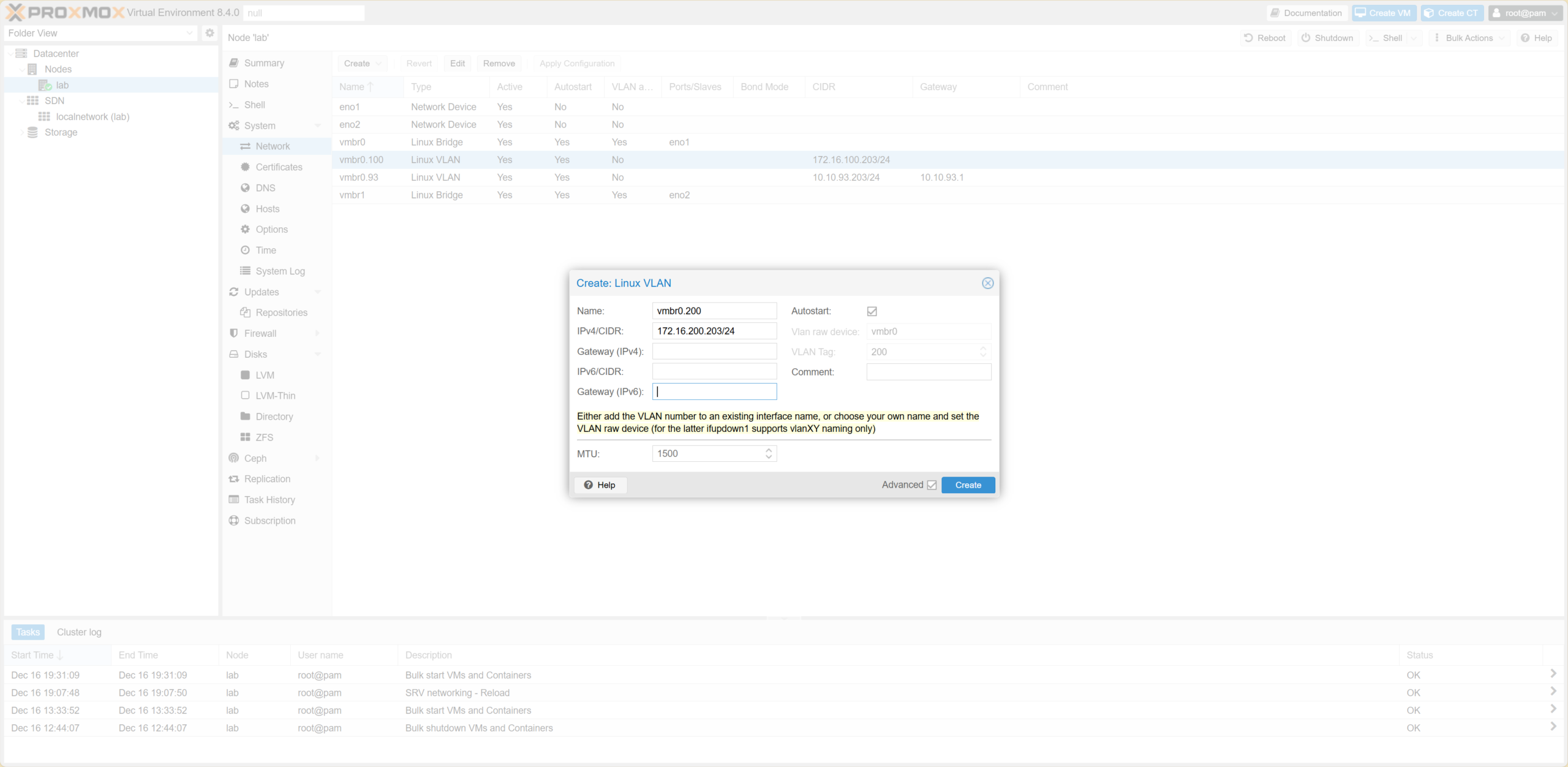 Create VLAN 200
Tạo VLAN 200
Create VLAN 200
Tạo VLAN 200
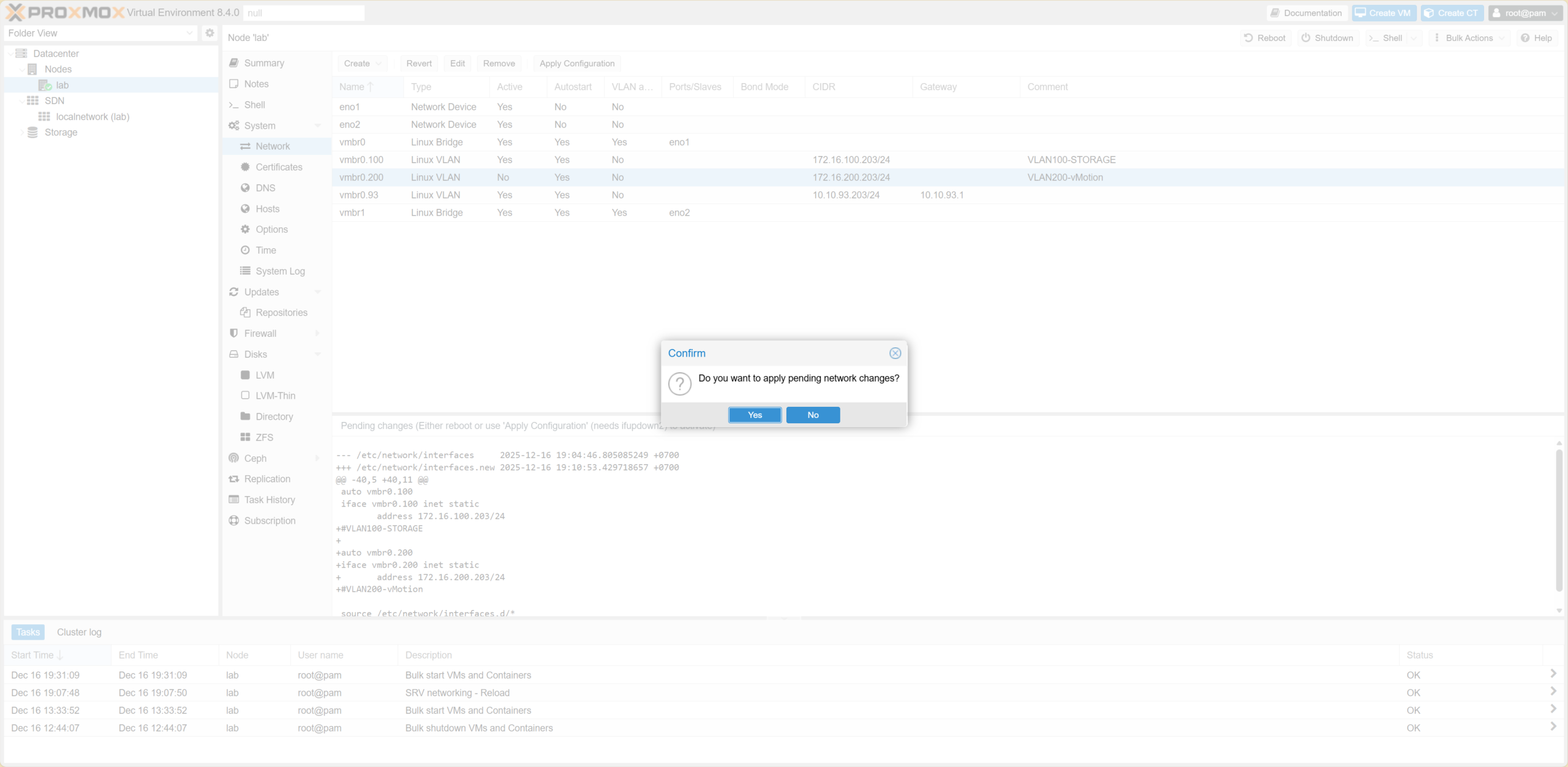 Configure VLAN 200 Details
Chi tiết cấu hình VLAN 200
Configure VLAN 200 Details
Chi tiết cấu hình VLAN 200
1.1.3 Final CheckFinal Check
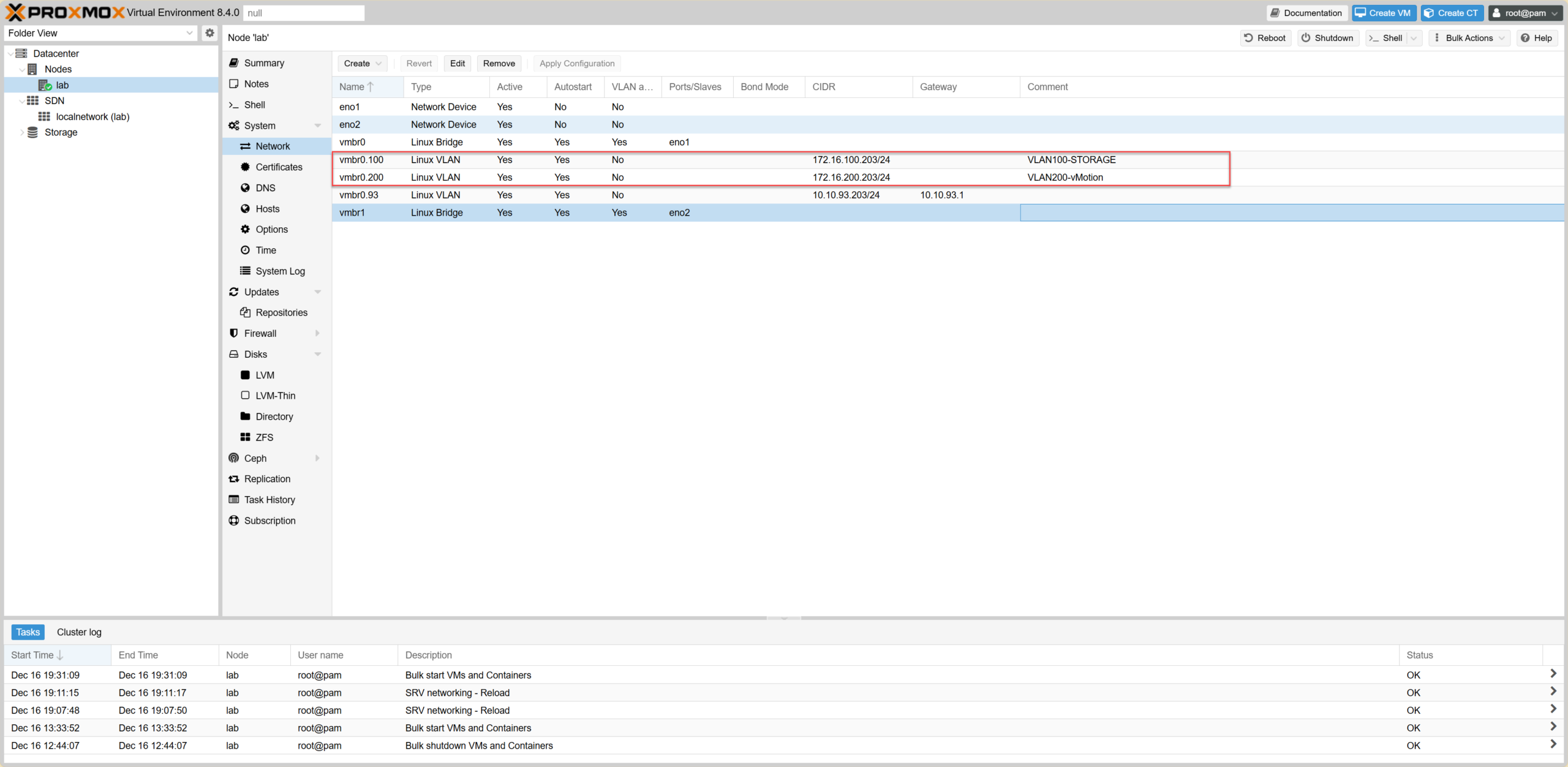 Final Network Interface List
Danh sách giao diện mạng cuối cùng
Final Network Interface List
Danh sách giao diện mạng cuối cùng
1.2 Ping kiểm tra kết nối giữa 2 NodePing Check Connection between 2 Nodes
Từ Node 93.203 ping sang Node 93.204 để đảm bảo VLAN thông suốt. Ping from Node 93.203 to Node 93.204 to ensure VLAN connectivity.
root@lab-doanh:~# ping -c 5 172.16.100.204
PING 172.16.100.204 (172.16.100.204) 56(84) bytes of data.
64 bytes from 172.16.100.204: icmp_seq=1 ttl=64 time=0.391 ms
...

root@lab-doanh:~# ping -c 5 172.16.200.204
PING 172.16.200.204 (172.16.200.204) 56(84) bytes of data.
64 bytes from 172.16.200.204: icmp_seq=1 ttl=64 time=0.436 ms
...
1.3 Chuẩn hóa Hostname & File HostsNormalize Hostname & Hosts File
Quan trọng cho việc tạo Cluster sau này.Crucial for Cluster creation later.
hostnamectl set-hostname pve01-93-203

nano /etc/hosts
# Thay đổi dòng:
# 10.10.93.203 lab-doanh.local lab-doanh
# Thành:
# 10.10.93.203 pve01-93-203
1.4 Thêm Storage (NAS/Synology)Add Storage (NAS/Synology)
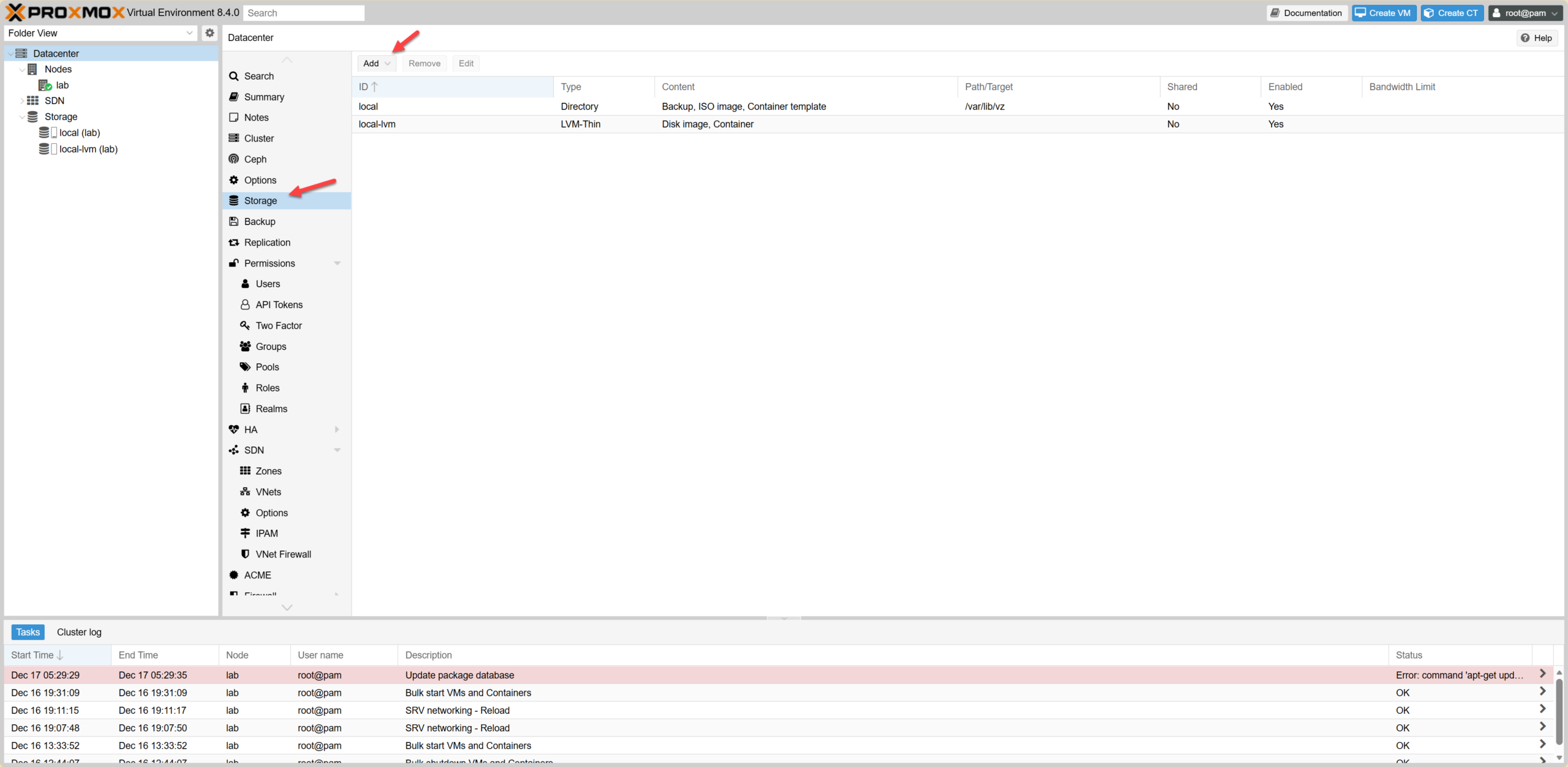 Select SMB/CIFS
Chọn SMB/CIFS
Select SMB/CIFS
Chọn SMB/CIFS
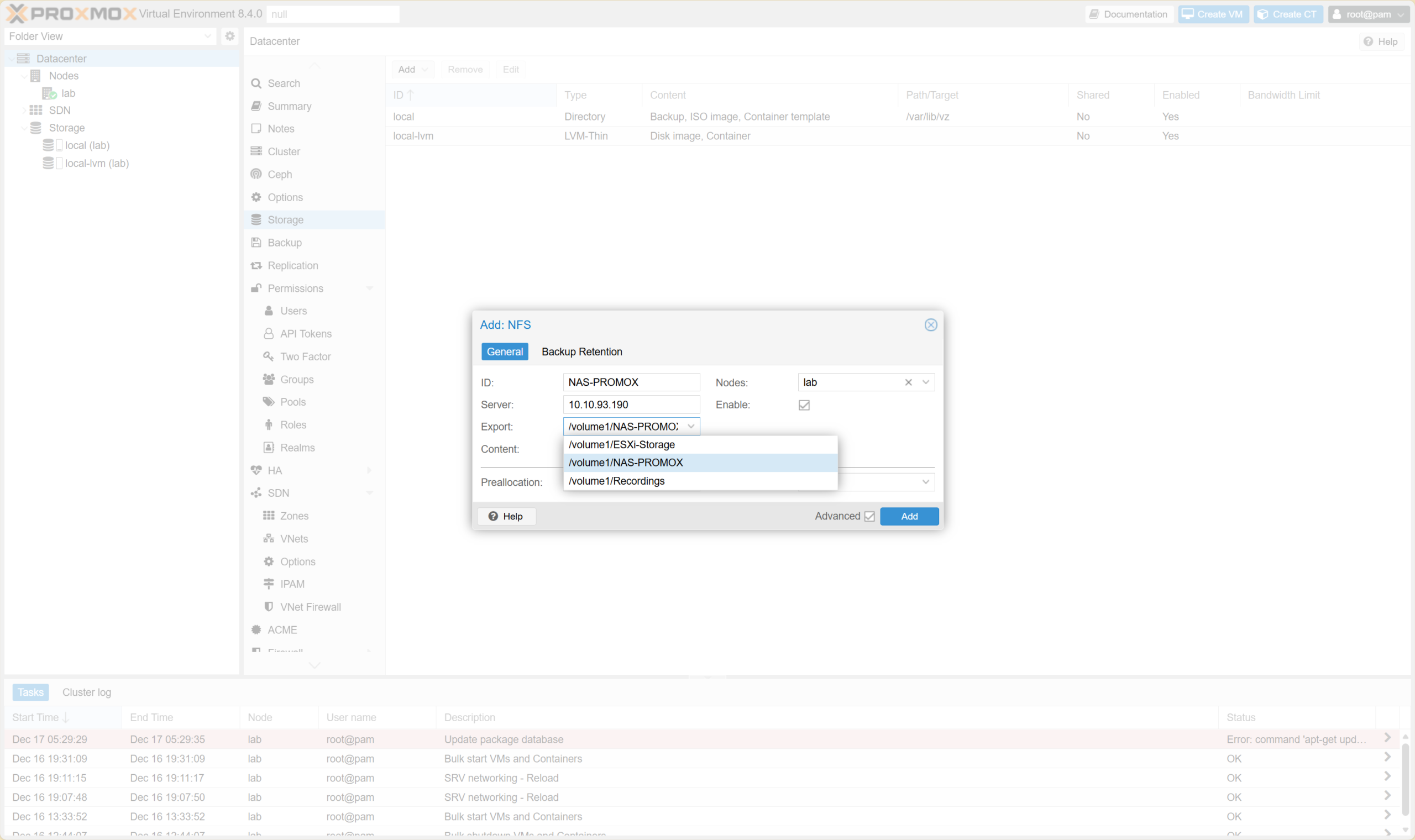 Storage Configuration
Cấu hình lưu trữ
Storage Configuration
Cấu hình lưu trữ
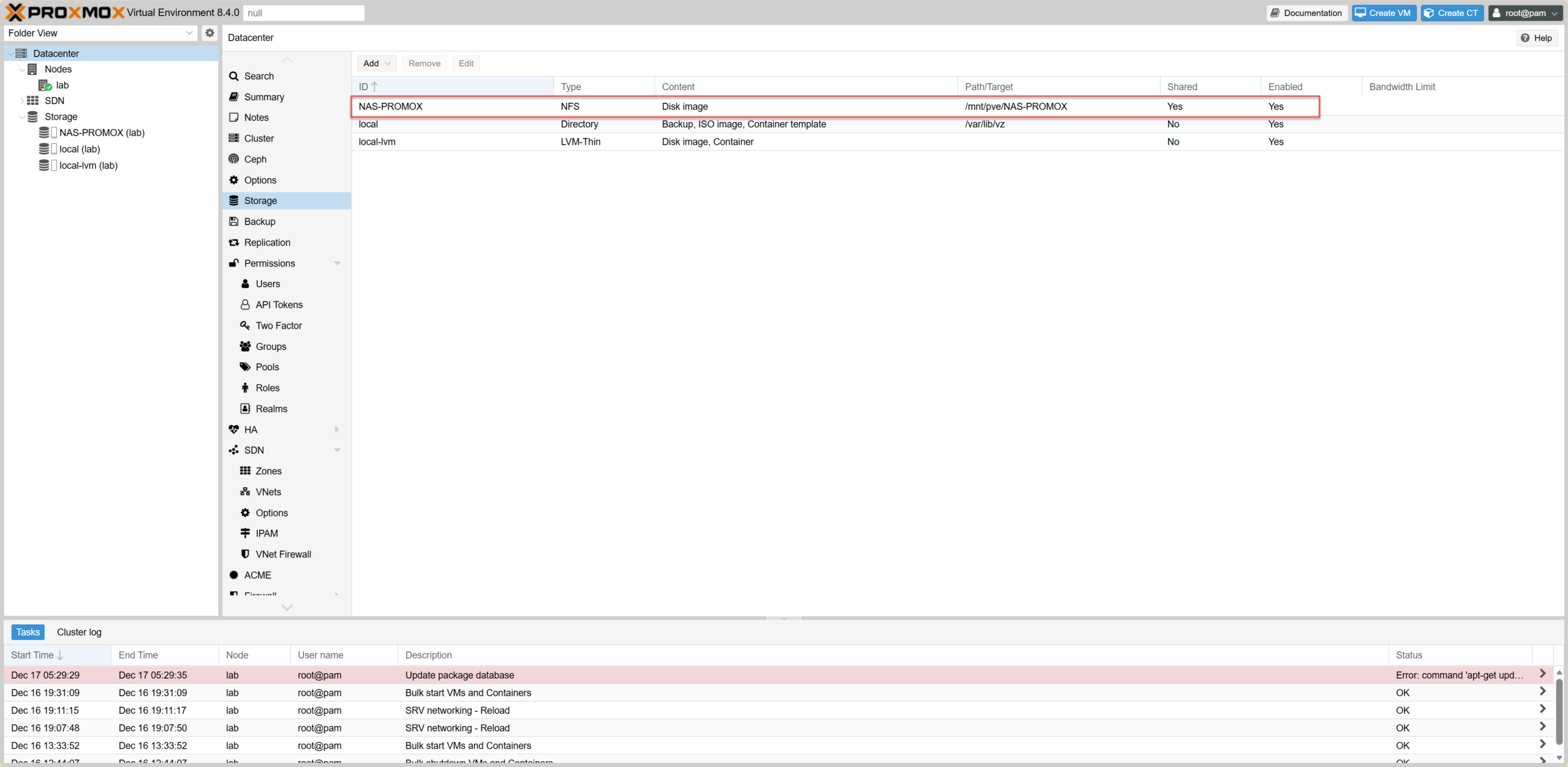 Storage Added Successfully
Thêm lưu trữ thành công
Storage Added Successfully
Thêm lưu trữ thành công
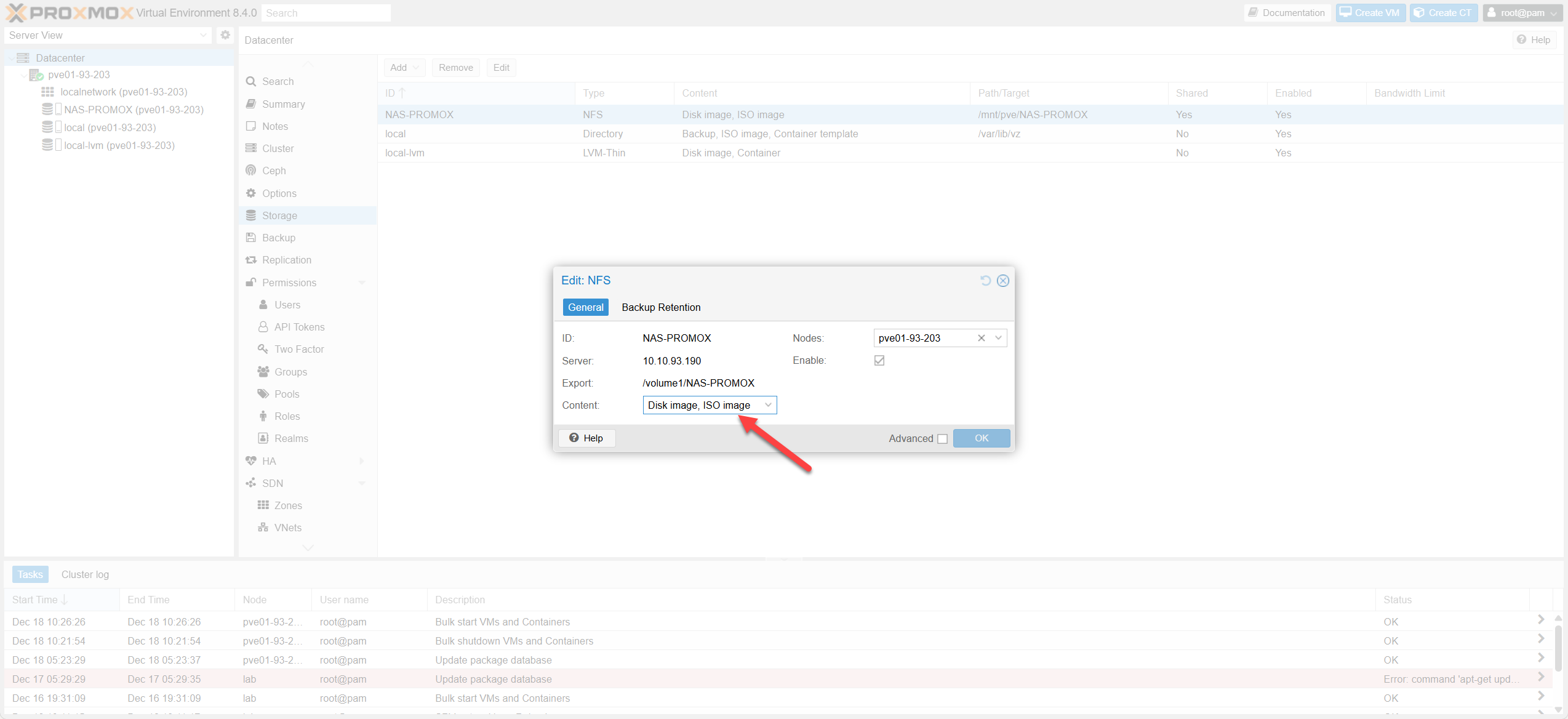 Prepare to Upload ISO
Chuẩn bị tải lên ISO
Prepare to Upload ISO
Chuẩn bị tải lên ISO
Upload ISO:Upload ISO:
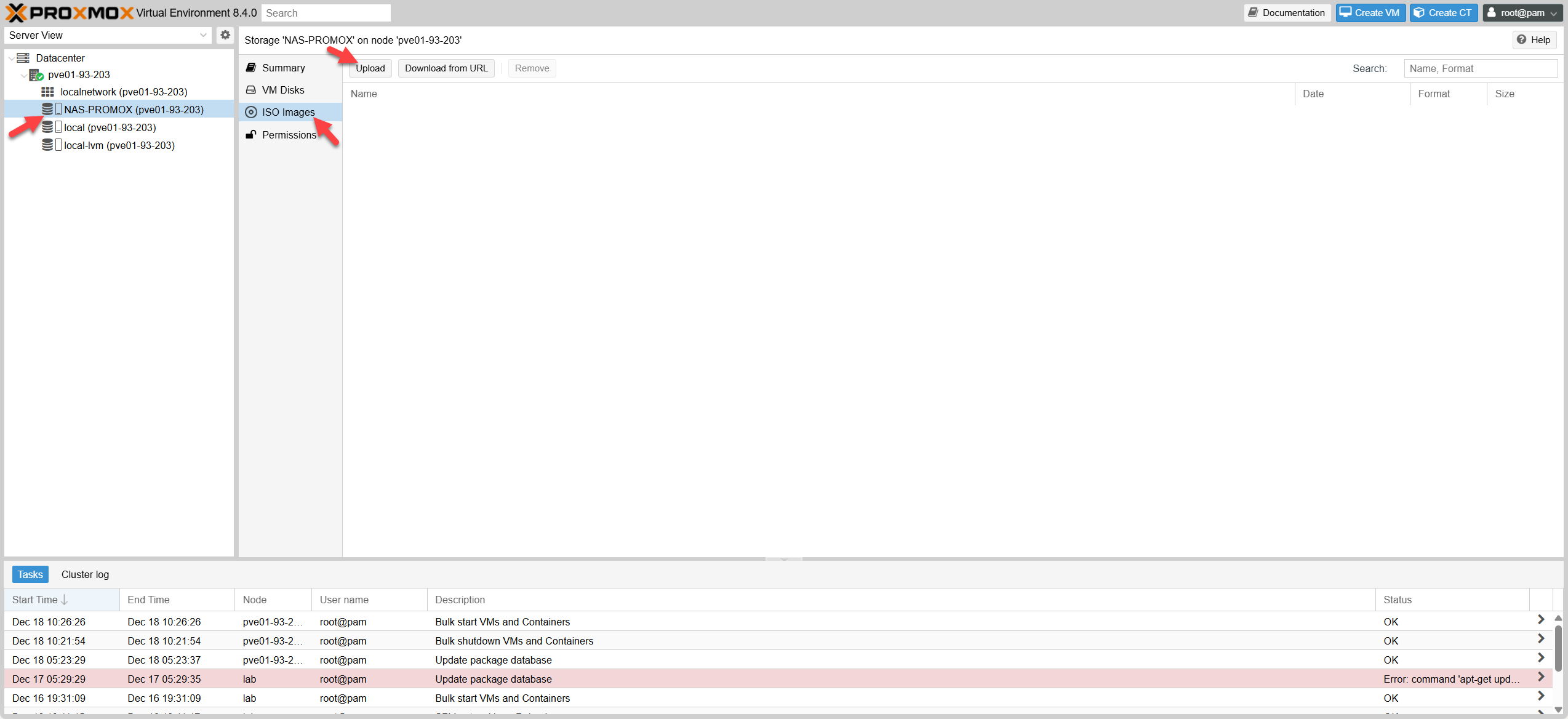 Select ISO File
Chọn tệp ISO
Select ISO File
Chọn tệp ISO
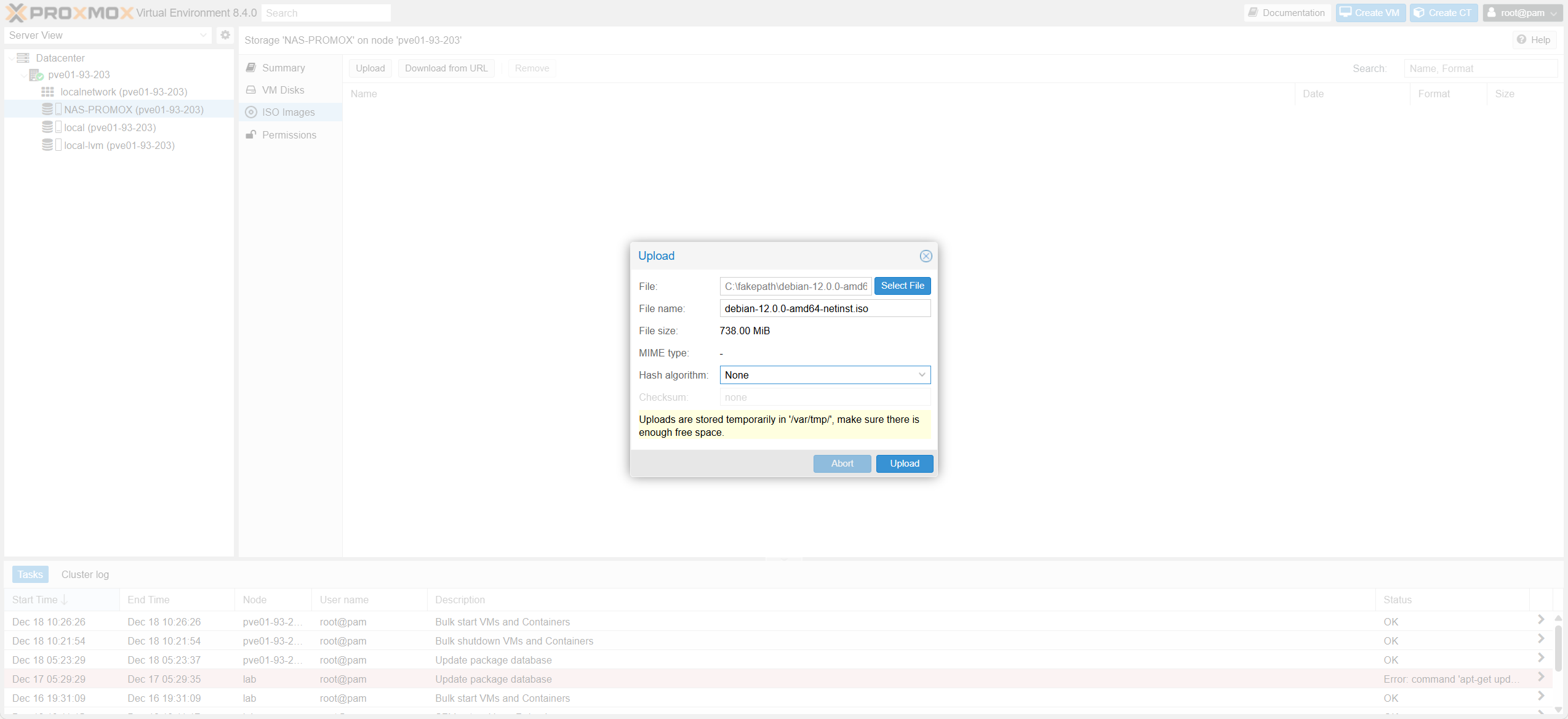 Uploading Process
Quá trình tải lên
Uploading Process
Quá trình tải lên
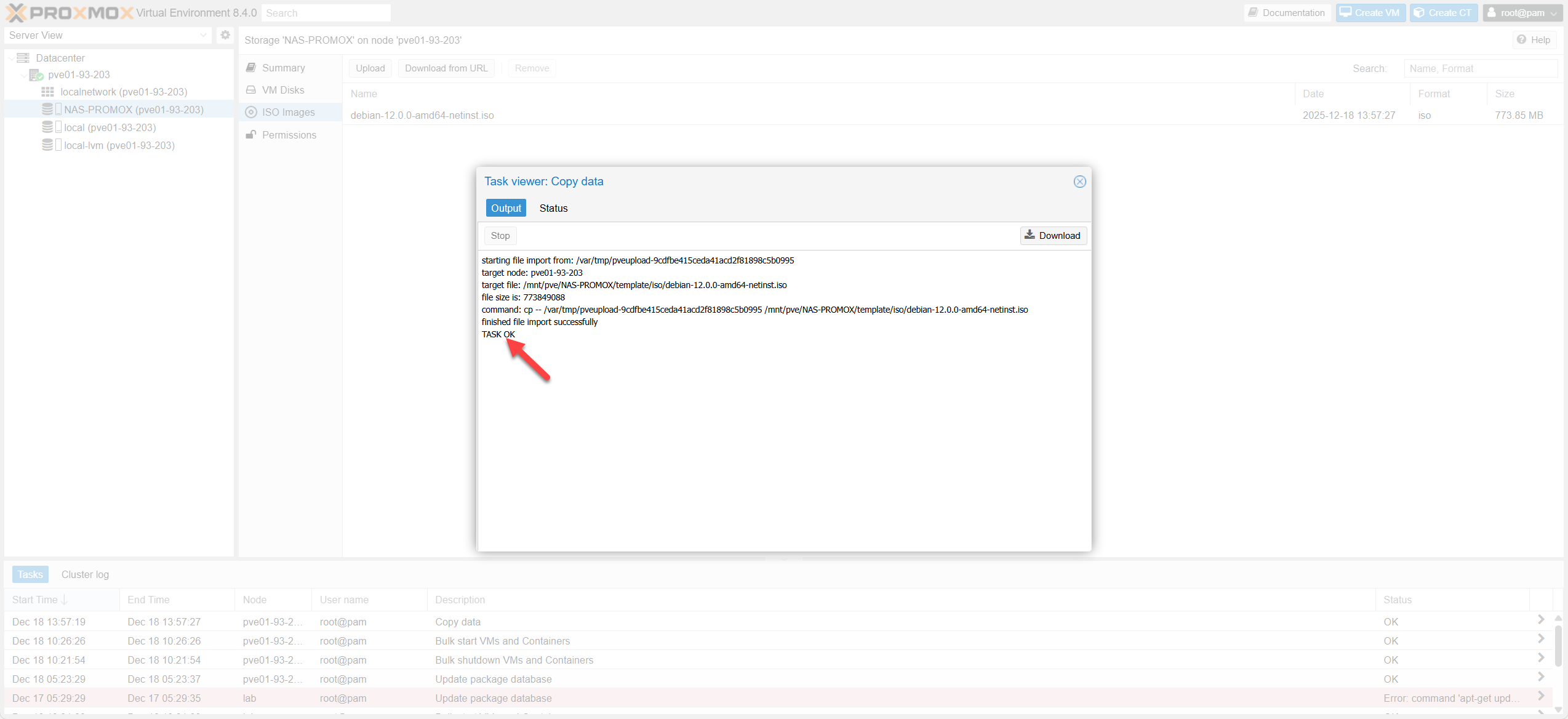 Upload Complete
Tải lên hoàn tất
Upload Complete
Tải lên hoàn tất
1.5 Cấu hình Migration NetworkConfigure Migration Network
Tách traffic di chuyển máy ảo (Live Migration) sang đường mạng riêng (VLAN 200) để không ảnh hưởng traffic quản lý. Isolate VM migration traffic (Live Migration) to a dedicated network (VLAN 200) to avoid impacting management traffic.
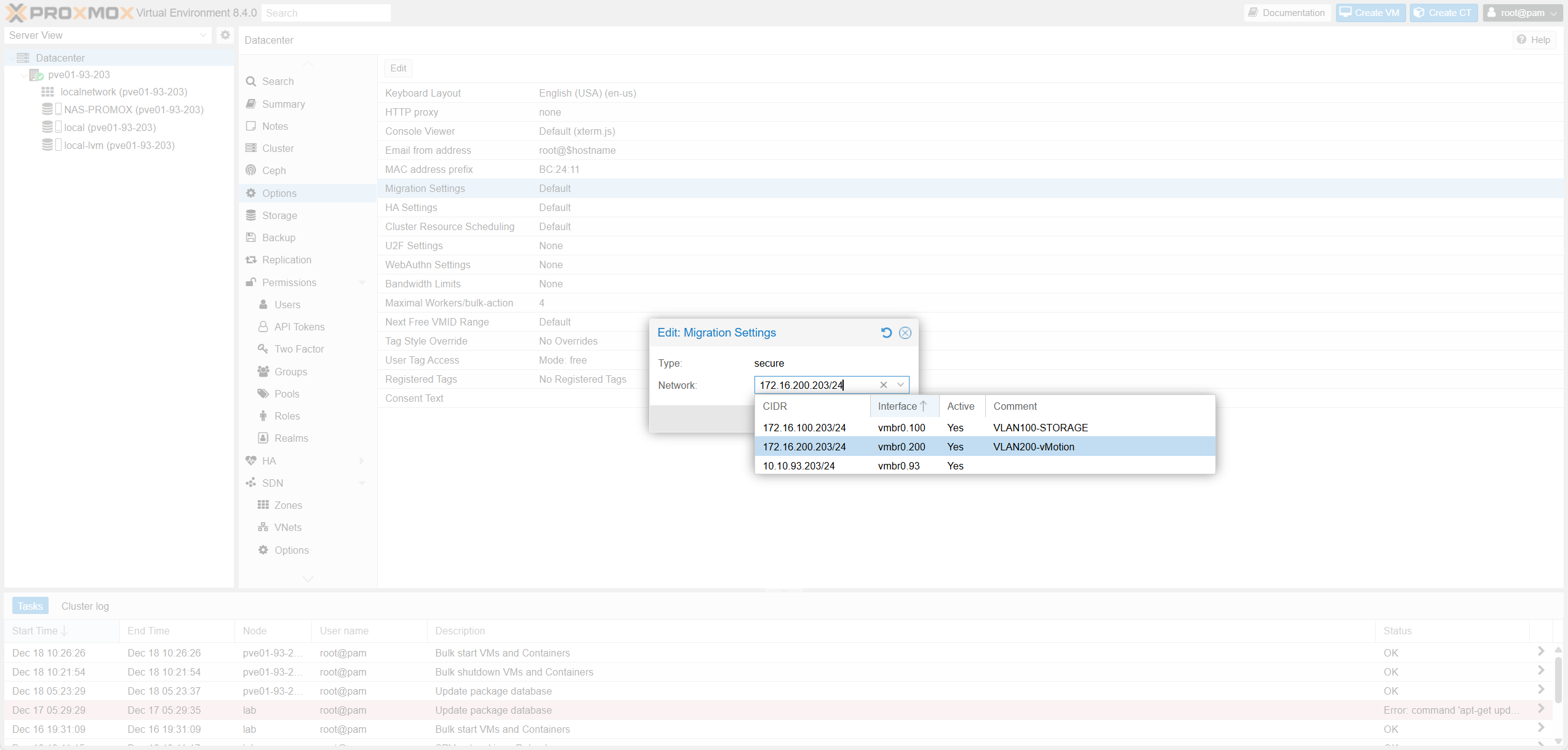 Edit Migration Settings
Chỉnh sửa cài đặt di chuyển
Edit Migration Settings
Chỉnh sửa cài đặt di chuyển
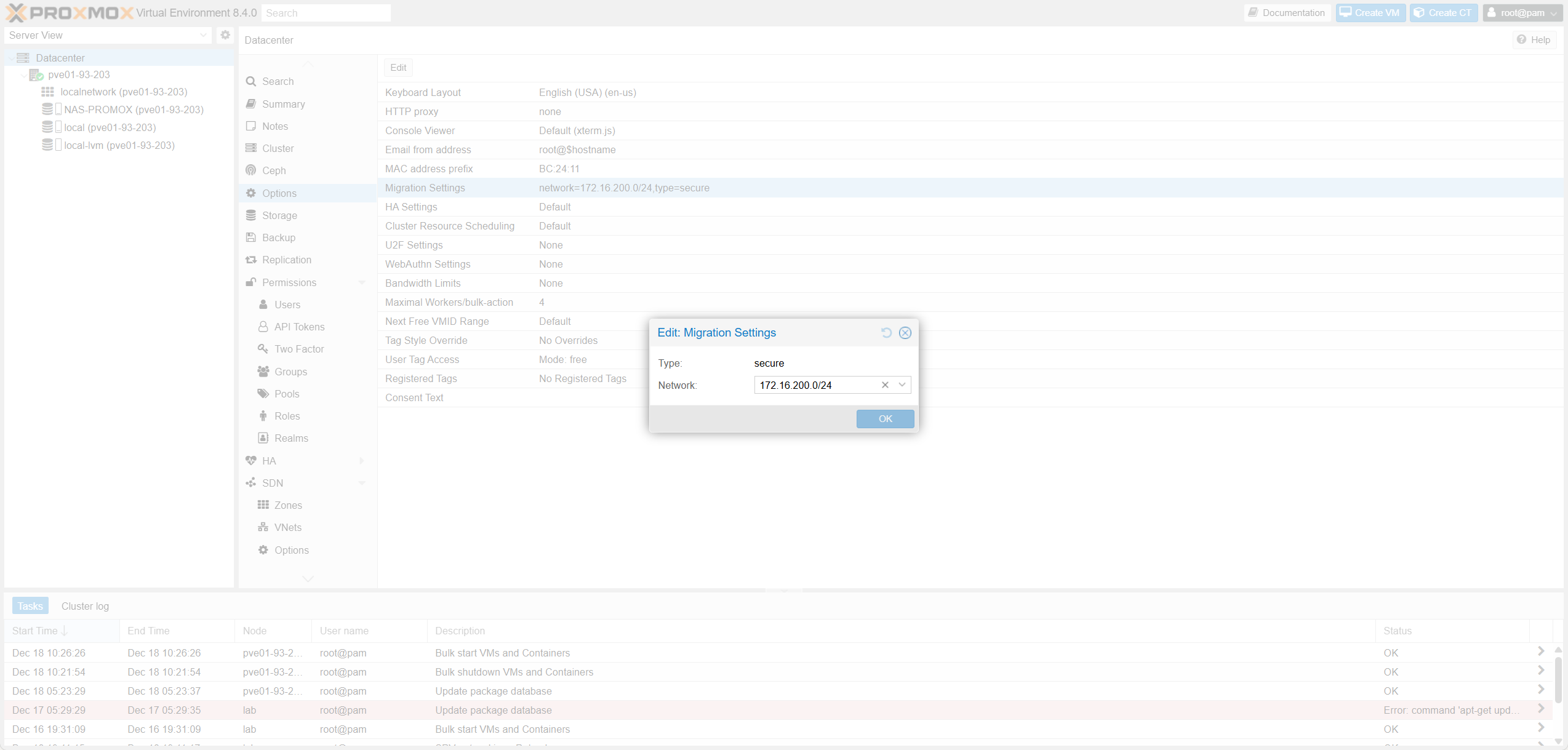 Select Migration Network
Chọn mạng di chuyển
Select Migration Network
Chọn mạng di chuyển
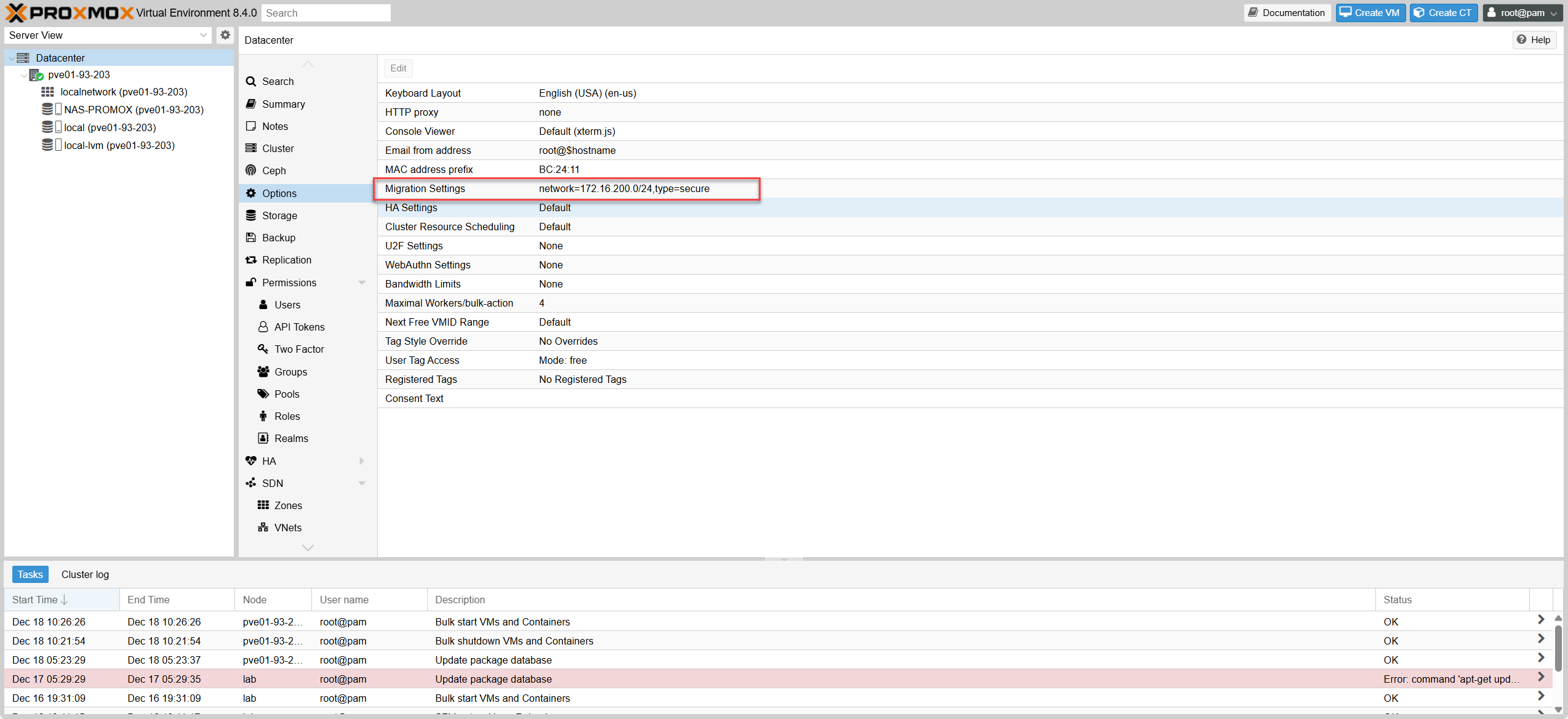 Migration Configured Successfully
Cấu hình di chuyển thành công
Migration Configured Successfully
Cấu hình di chuyển thành công
1.6 Tạo Máy ảo (VM) – Best PracticesCreate Virtual Machine (VM) – Best Practices
Hướng dẫn chi tiết từng tab để đạt hiệu năng tốt nhất, kèm bảng so sánh với ESXi. Detailed guide per tab for optimal performance, with ESXi comparison table.
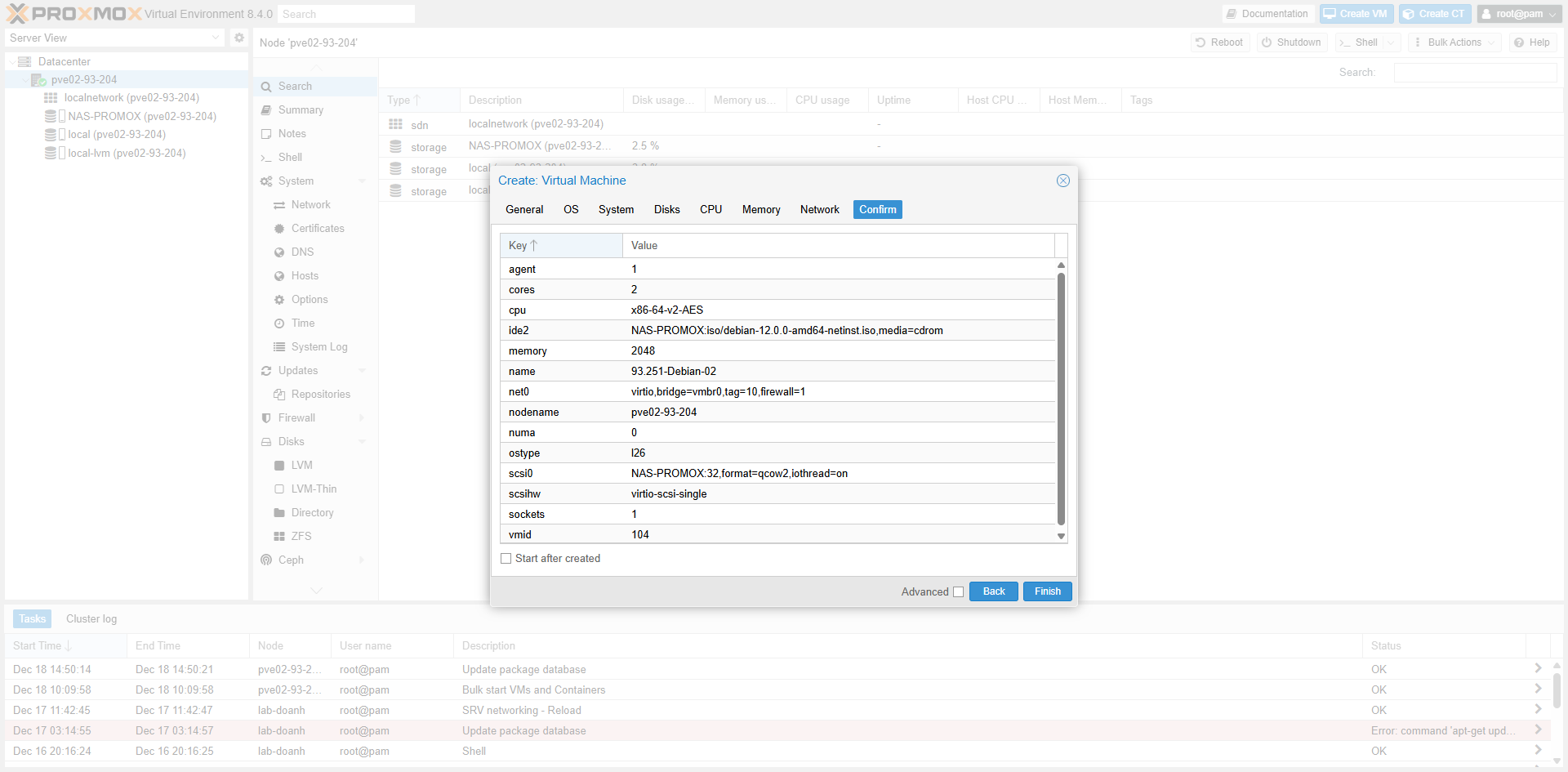 Create VM Wizard
Trình hướng dẫn tạo VM
Create VM Wizard
Trình hướng dẫn tạo VM
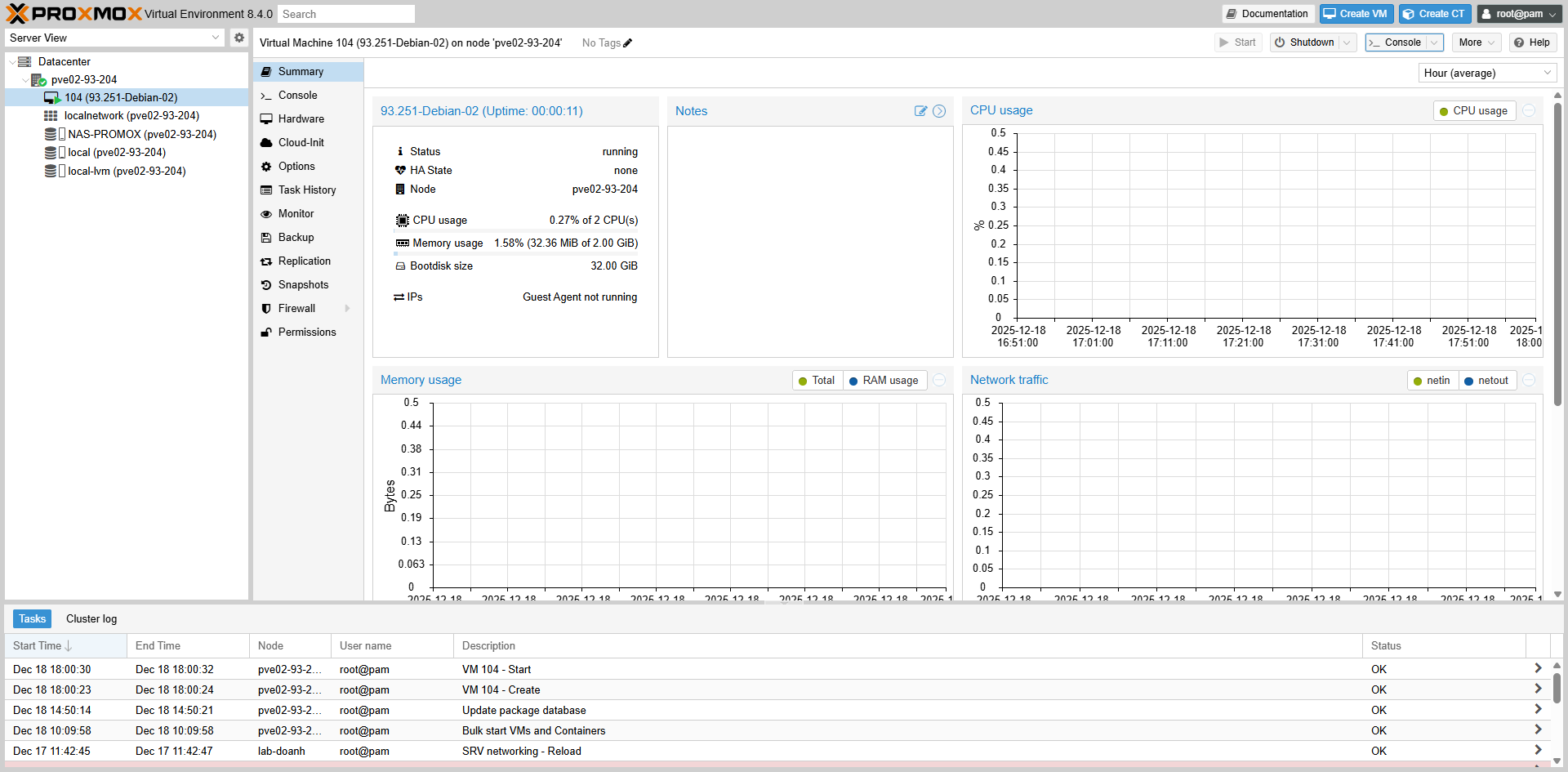 General Tab
Tab Chung
General Tab
Tab Chung
1.6.1 Cấu hình GeneralGeneral Configuration
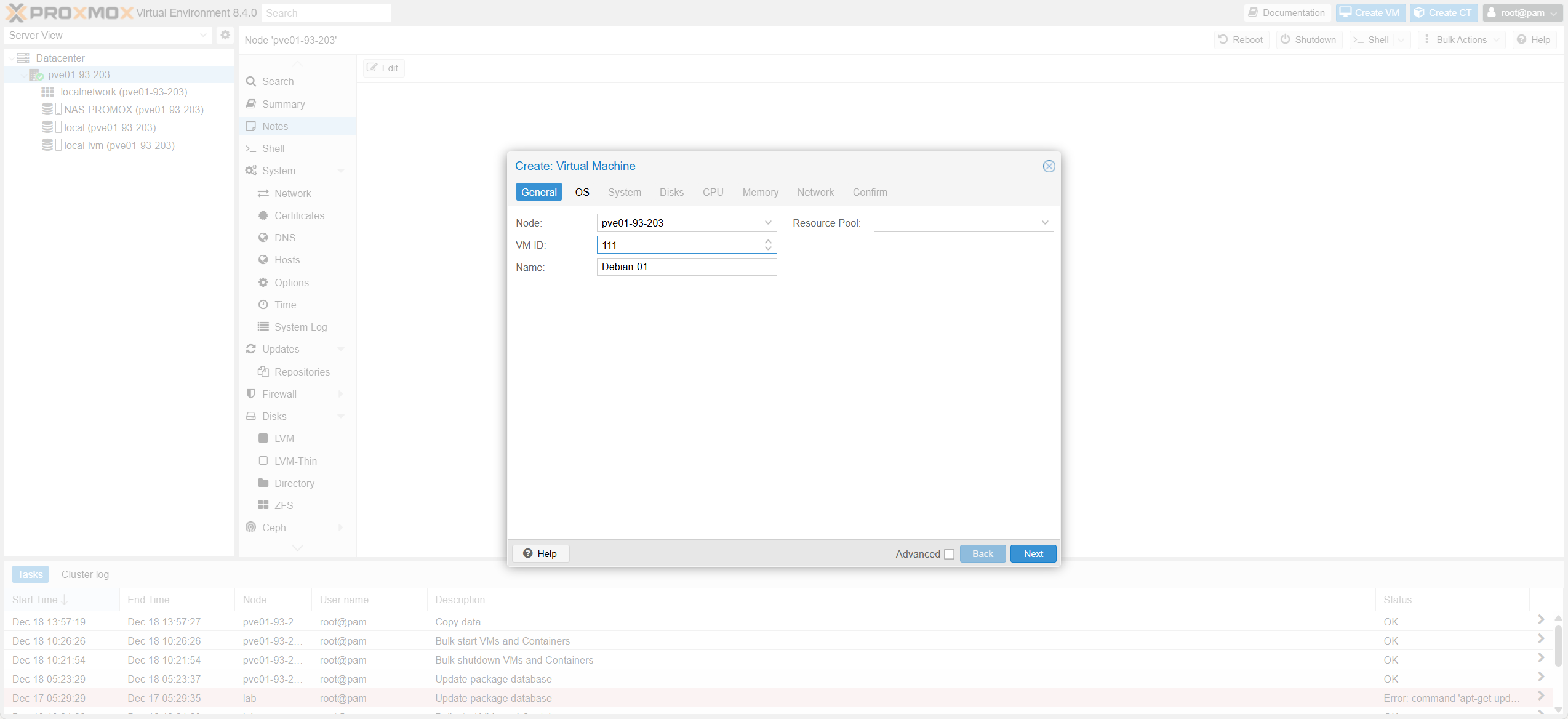 OS Tab
Tab Hệ điều hành
OS Tab
Tab Hệ điều hành
1.6.2 Cấu hình OSOS Configuration
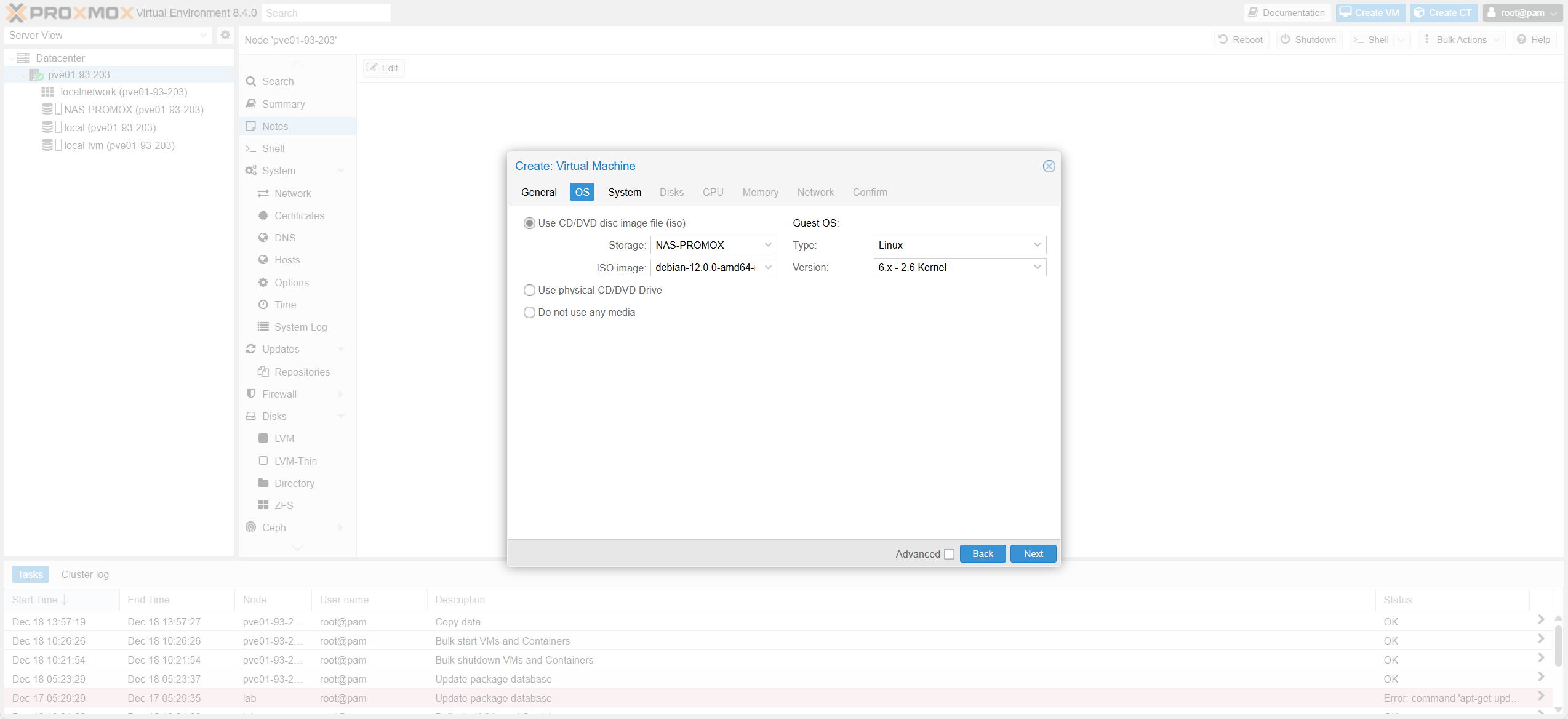 System Tab Overview
Tổng quan Tab Hệ thống
System Tab Overview
Tổng quan Tab Hệ thống
1.6.3 Cấu hình tab “System”System Tab Configuration
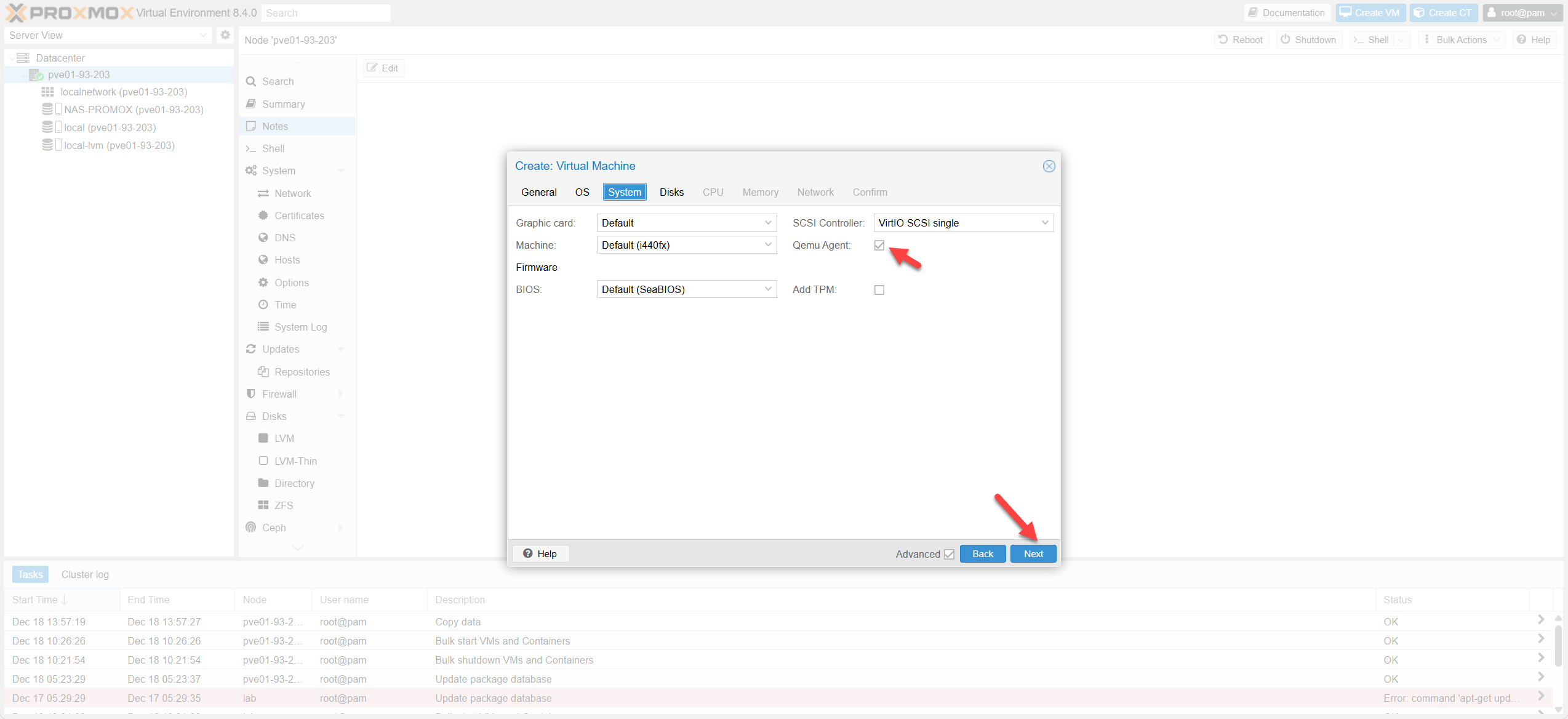 System Tab Details
Chi tiết Tab Hệ thống
System Tab Details
Chi tiết Tab Hệ thống
| Mục (System)Item (System) | Ý nghĩaMeaning | Nên chọn (Production)Recommended (Production) | Khi nào đổi / Lưu ýWhen to change / Notes | Tương ứng ESXi/vSphereESXi Equivalent |
|---|---|---|---|---|
| Graphic card | VGA ảo cho consoleVirtual VGA for console | Default (Std VGA) | Đổi sang SPICE/QXL nếu dùng SPICE; hoặc khi cần hiển thị đặc biệtSwitch to SPICE/QXL if using SPICE or need special display | Video card |
| Machine (i440fx / q35) | Chipset/“mainboard” ảoVirtual Chipset | q35 (Nếu triển khai mới) | q35 khi cần PCIe/passthrough, Windows mới/UEFI. i440fx khi cần compatibility/VM cũq35 for PCIe/passthrough/Win11. i440fx for compatibility | Virtual Hardware |
| BIOS / Firmware | Boot BIOS vs UEFIBoot BIOS vs UEFI | Windows 11: OVMF + TPM; Linux: SeaBIOS/OVMFWindows 11: OVMF + TPM; Linux: SeaBIOS/OVMF | Đổi firmware thường kéo theo boot mode/partition. Đừng đổi giữa chừng nếu VM đang chạy ổnChanging firmware affects boot mode. Don’t change on stable VM | BIOS/UEFI |
| SCSI Controller | Controller diskDisk Controller | VirtIO SCSI single ✅ | Windows cần driver VirtIO. Nếu OS quá cũ -> cân nhắc SATAWindows needs VirtIO driver. Use SATA for legacy OS | PVSCSI |
| QEMU Agent | Host ↔ guest (IP, shutdown…)Host ↔ guest comms | ON ✅ | Phải cài trong guest: qemu-guest-agentMust install qemu-guest-agent inside guest |
VMware Tools |
| Add TPM | TPM ảoVirtual TPM | Windows 11: ON (TPM 2.0)Windows 11: ON (TPM 2.0) | Nếu policy yêu cầu BitLocker/Secure BootIf policy requires BitLocker/Secure Boot | TPM Device |
1.6.4 Cấu hình tab “Disk”Disk Tab Configuration
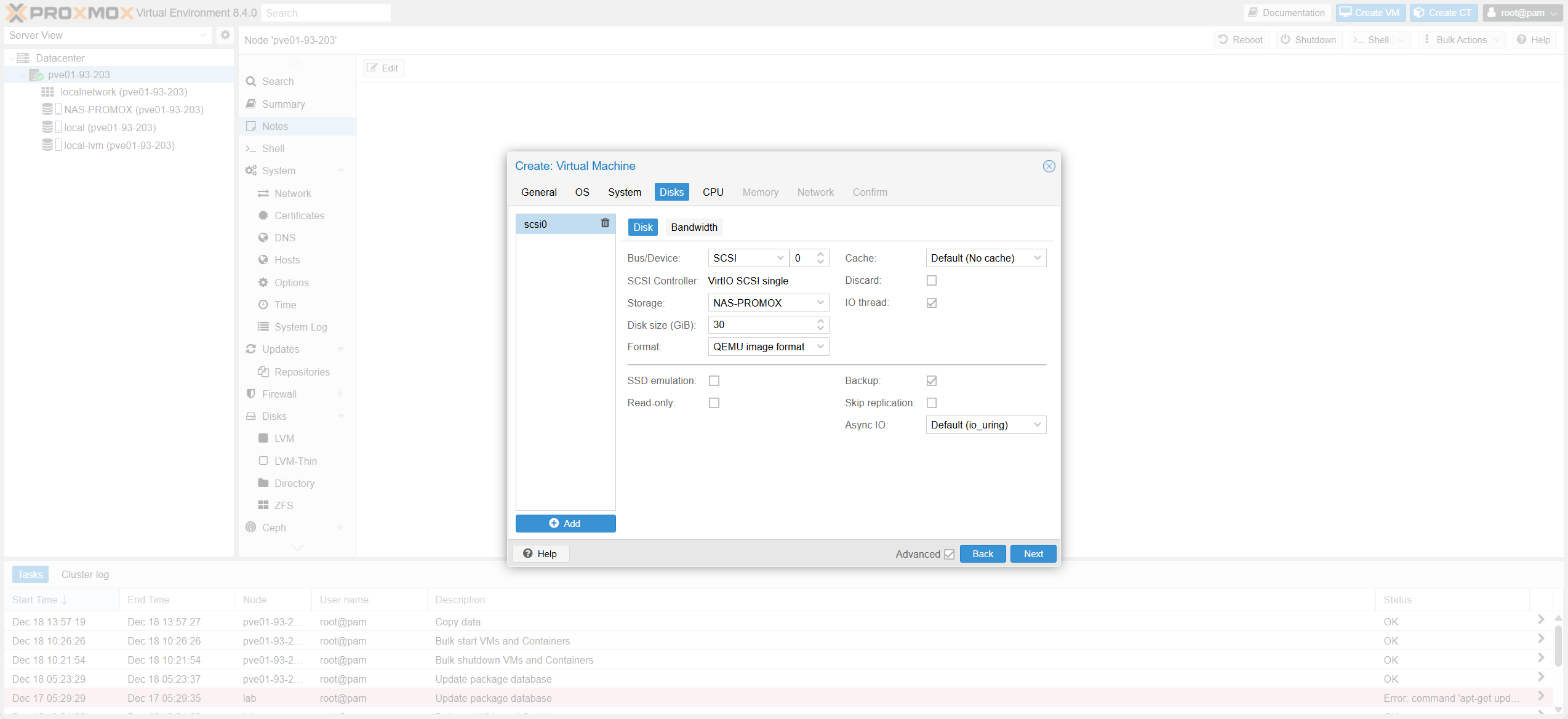 Disk Tab Details
Chi tiết Tab Ổ cứng
Disk Tab Details
Chi tiết Tab Ổ cứng
| Mục (Disks)Item (Disks) | Ý nghĩaMeaning | Nên chọn (Production)Recommended (Production) | Khi nào đổi / Lưu ýWhen to change / Notes | Tương ứng ESXiESXi Equivalent |
|---|---|---|---|---|
| Bus/Device | Kiểu bus gắn diskDisk bus type | SCSI ✅ (kèm VirtIO SCSI single) | SATA/IDE chỉ khi cần tương thích; VirtIO block dùng được nhưng quản trị nhiều disk thường “đẹp” với SCSISATA/IDE for compatibility. VirtIO block OK but SCSI better for management | SCSI Controller |
| Storage | Nơi chứa diskDisk location | Shared storage (Live Migration) | Disk nằm local thì live migrate sẽ kẹtLocal disk prevents live migration | Datastore |
| Disk size | Dung lượngSize | Theo workload + dự phòngWorkload + headroom | Prod nên sizing rõ + monitoringMonitor and size correctly | Provisioned size |
| Format | Định dạng diskDisk format | qcow2 (File) / raw (Block/Ceph)qcow2 (File) / raw (Block) | qcow2 tiện snapshot file-based; raw hợp block/Cephqcow2 good for snapshots; raw for Ceph/Block | VMDK |
| Cache | Cache I/OI/O Cache | Default (No cache) ✅ | Writeback rủi ro khi mất điệnWriteback risky on power loss | Disk mode |
| Discard | Reclaim block trốngReclaim blocks | ON | Kích hoạt TRIM/UNMAP để reclaim space trên SSD/CephEnable to reclaim space (TRIM/UNMAP) | UNMAP |
| Preallocation | Cấp phát dung lượngSpace Allocation | Default/Off (Thin) cho đa sốDefault/Off (Thin) for most cases | Off (Thin): Tăng dung lượng động (tiết kiệm chỗ). On (Thick): Cấp đủ dung lượng ngay từ đầu (tốt cho hiệu năng/CSDL).Off (Thin): Grows dynamically (space efficient). On (Thick): Allocates all space upfront (better performance/DB). |
Thin / Thick Provision |
| SSD emulation | Báo guest là SSDSSD Emulation | ON nếu storage thật là SSDON if physical storage is SSD | Giúp guest tối ưu scheduler/TRIMOptimizes guest scheduler/TRIM | SSD hint |
| IO thread | Tách luồng I/OSeparate IO thread | ON ✅ | Thường có lợi với VirtIO SCSIBeneficial for VirtIO SCSI | – |
| Backup | Cho phép backup diskAllow backup | ON ✅ | Tắt với disk tạm/cache để giảm thời gian backupDisable for temp disks to save time | Independent-Persistent |
1.6.5 Cấu hình tab “CPU”CPU Tab Configuration
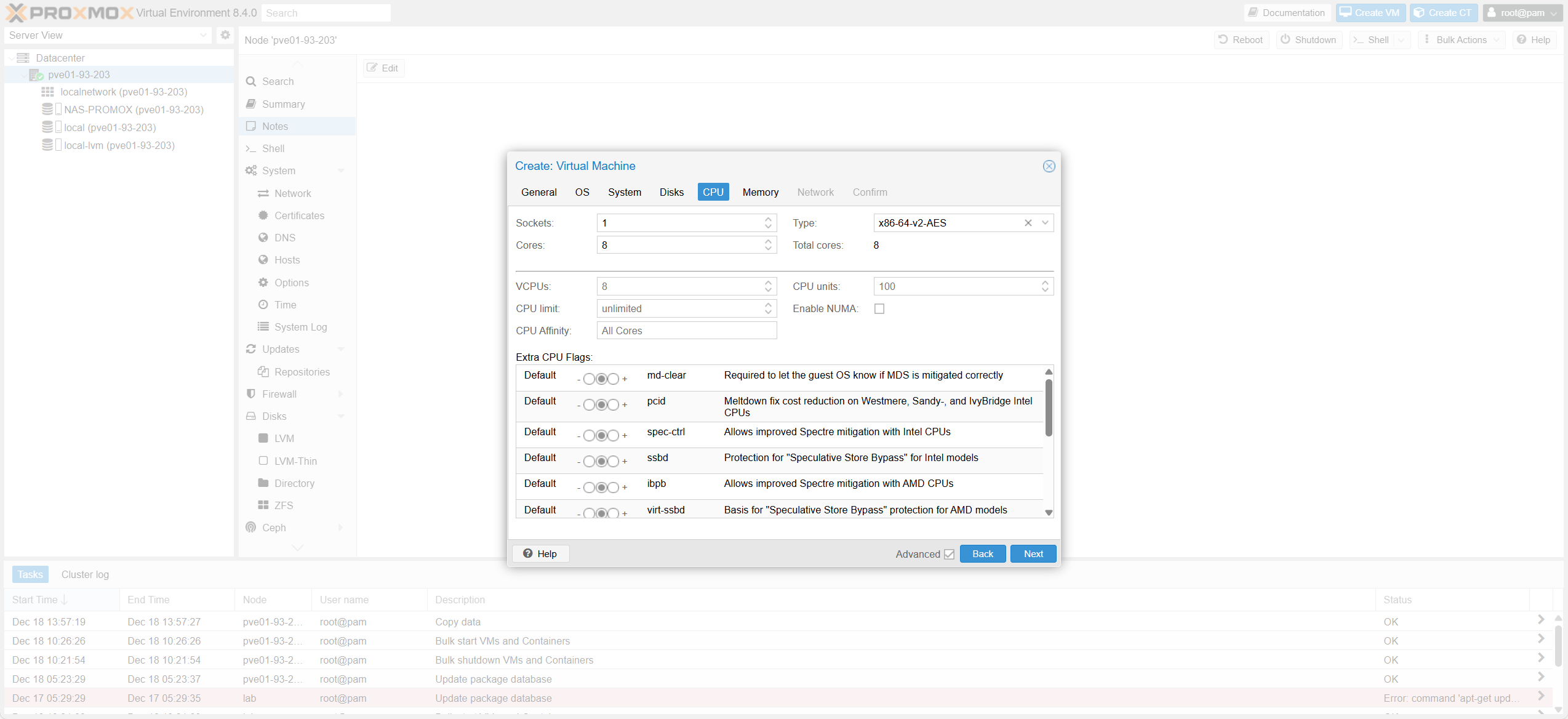 CPU Tab Details
Chi tiết Tab CPU
CPU Tab Details
Chi tiết Tab CPU
| Proxmox CPUProxmox CPU | Best practice (Production)Best practice (Production) | Vì sao (Production)Reason (Production) | Tương đương ESXiESXi Equivalent |
|---|---|---|---|
| Type | x86-64-v2/v3 (Cluster đồng nhất) hoặc kvm64 (Cluster khác CPU) | Yếu tố sống còn cho live migration và tránh lỗi CPUIDCrucial for live migration compatibility | EVC Mode |
| Sockets | 1 | Đỡ rắc rối topology/licensing, dễ vận hànhSimpler licensing and topology | Sockets |
| Cores | Theo workloadPer workload | Scale đúng nhu cầu, tránh “vCPU cho vui” (gây CPU ready cao)Right-size to avoid high CPU Ready | Cores per socket |
| Total vCPU | Vừa đủ + theo capacity planningJust enough + capacity planning | Overcommit quá tay → latency/CPU readyOvercommit leads to latency | vCPUs |
| CPU limit | Unlimited | Prod thường quản bằng capacity, không cap bừaManage via capacity, avoid capping | Limit (MHz) |
| CPU units | Default 100 | QoS khi host tranh chấp CPUQoS during contention | Shares |
| Enable NUMA | VM nhỏ: OFF; VM lớn: ONSmall VM: OFF; Large VM: ON | VM lớn hưởng lợi locality; VM nhỏ không cầnLocality benefit for large VMs | vNUMA |
| Extra CPU Flags | Default | Tránh mismatch feature → start/migrate failAvoid feature mismatch | CPUID masking |
1.6.6 Cấu hình tab “Memory”Memory Tab Configuration
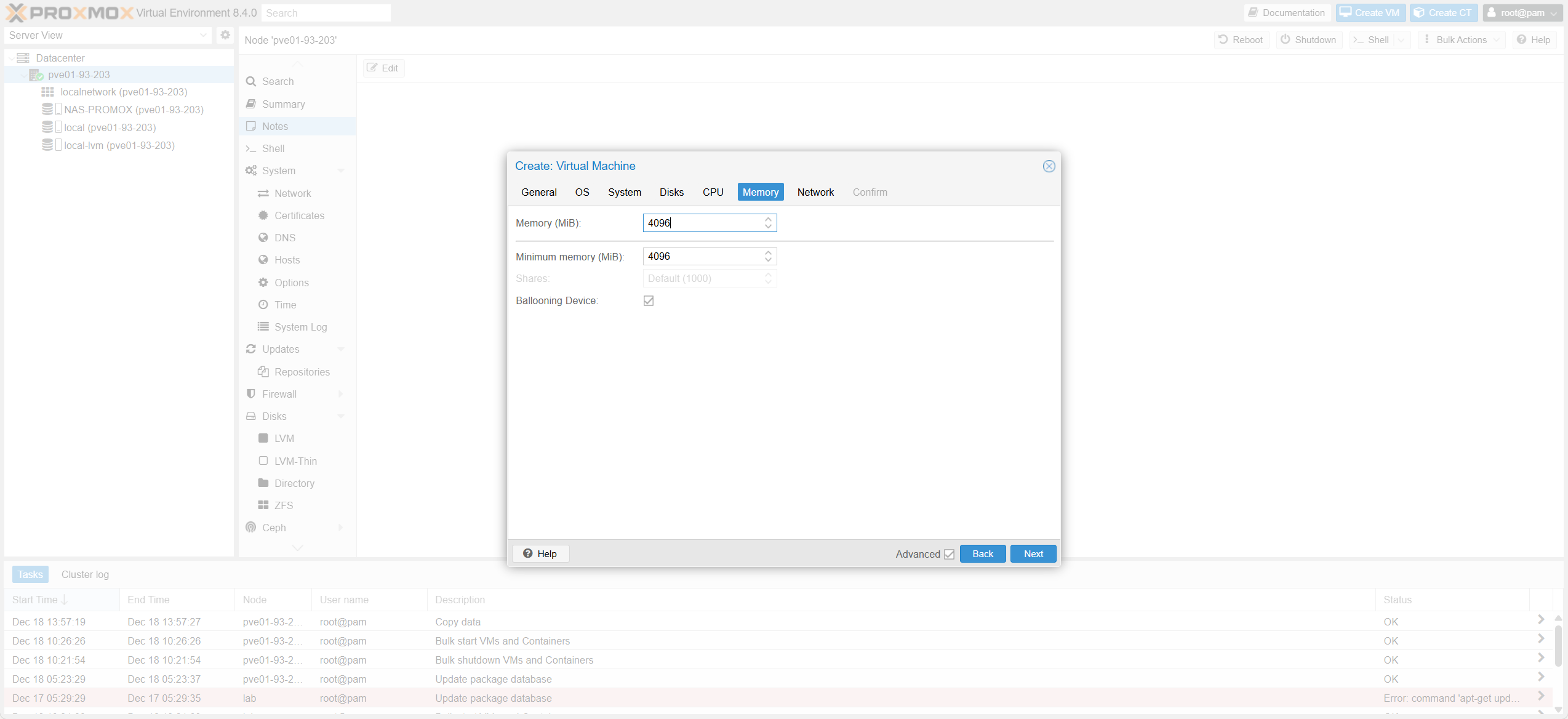 Memory Tab Details
Chi tiết Tab Bộ nhớ
Memory Tab Details
Chi tiết Tab Bộ nhớ
| Proxmox MemoryProxmox Memory | Ý nghĩaMeaning | Best practice (Production)Best practice (Production) | Lưu ýNotes | Tương ứng ESXiESXi Equivalent |
|---|---|---|---|---|
| Memory | RAM cấp cho VMVM RAM | Sizing theo workload + headroomSizing per workload | Tránh cấp quá đàAvoid over-provisioning | Memory |
| Ballooning | Thu hồi RAM độngDynamic Reclaim | ON (General); OFF (DB/VoIP)ON (General); OFF (DB/VoIP) | Có thể gây “spike” khi host thiếu RAMCan cause spikes if host lacks RAM | Ballooning |
| Shares | Ưu tiên khi tranh chấpContention Priority | Default | Chỉ có tác dụng khi host thiếu RAMActive only during contention | Shares |
| Min memory | “Sàn” RAM khi ballooningBallooning Floor | Set sàn hợp lý (vd 70–90%)Set reasonable floor (70-90%) | Tránh reclaim quá mứcAvoid aggressive reclaim | Reservation |
1.6.7 Cấu hình tab “Network”Network Tab Configuration
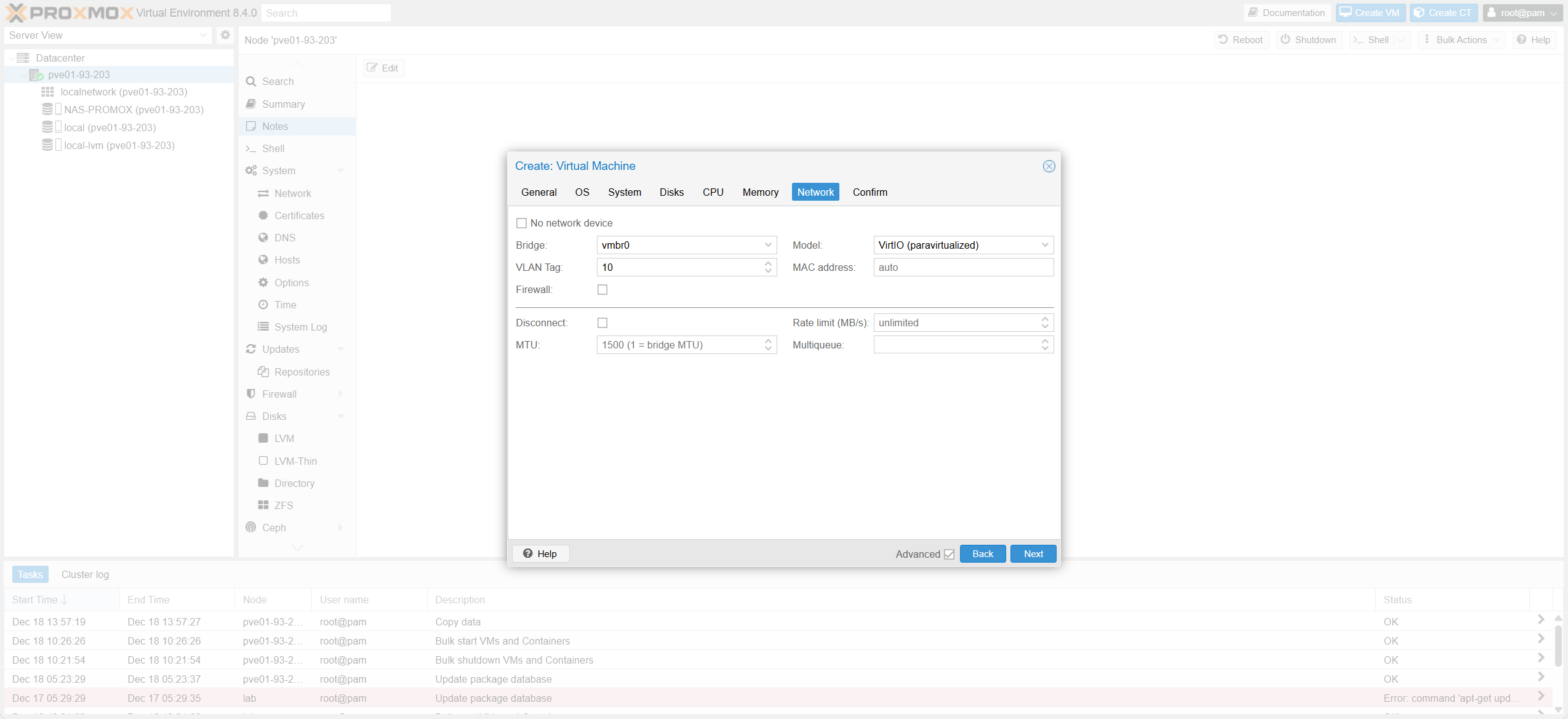 Network Tab Details
Chi tiết Tab Mạng
Network Tab Details
Chi tiết Tab Mạng
| Thông sốParameter | Ý nghĩaMeaning | Best practiceBest practice | Lưu ýNotes | Tương ứng ESXiESXi Equivalent |
|---|---|---|---|---|
| Bridge | VM cắm vào bridge nàoBridge Selection | Chọn bridge theo design (vmbr0/vmbr1…)Select per design | Chuẩn hoá naming theo roleStandardize naming | Port Group |
| VLAN Tag | Tag VLAN trên NIC VMVLAN Tagging | Set tag nếu Access; Để trống nếu TrunkSet tag for Access; Empty for Trunk | Trunk cần bridge VLAN-awareTrunk needs VLAN-aware bridge | VLAN ID |
| Model | Loại NICNIC Model | VirtIO ✅ | Hiệu năng cao nhấtBest performance | VMXNET3 |
| Firewall | Proxmox firewall per NICNIC Firewall | OFF (trừ khi có policy)OFF (unless policy exists) | Tránh tự chặn mình khi chưa configAvoid self-lockout | NSX DFW |
| Disconnect | Cắm dây NICLink State | Connected | Dùng khi cô lập lúc debugUse for isolation/debug | Connect at power on |
| Multiqueue | Nhiều queue VirtIOVirtIO Multiqueue | Set = vCPU (nếu traffic lớn)Set = vCPU (high traffic) | Giúp xử lý song songParallel processing | VMXNET3 RSS |
1.6.8 Kiểm tra & Hoàn tấtVerify & Finish
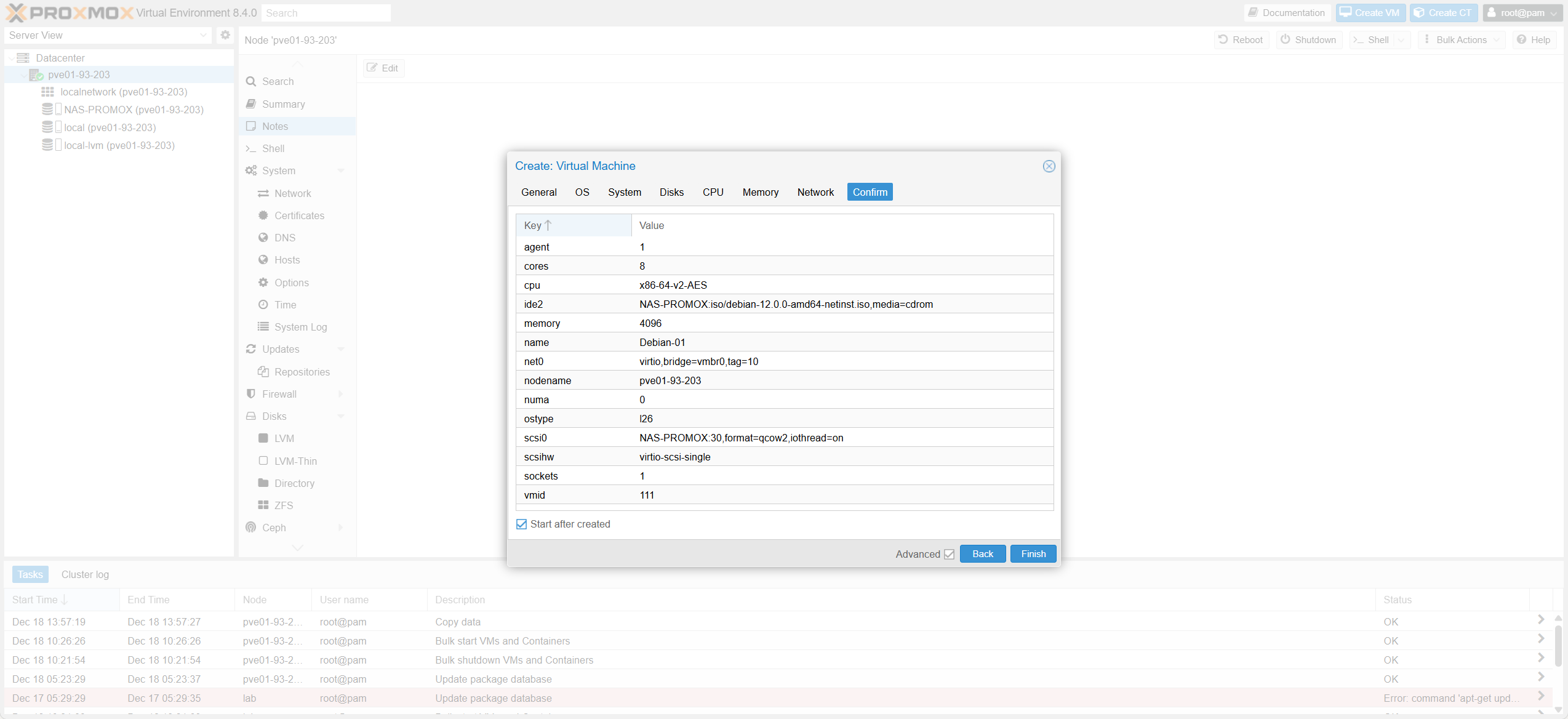 Review Configuration
Xem lại cấu hình
Review Configuration
Xem lại cấu hình
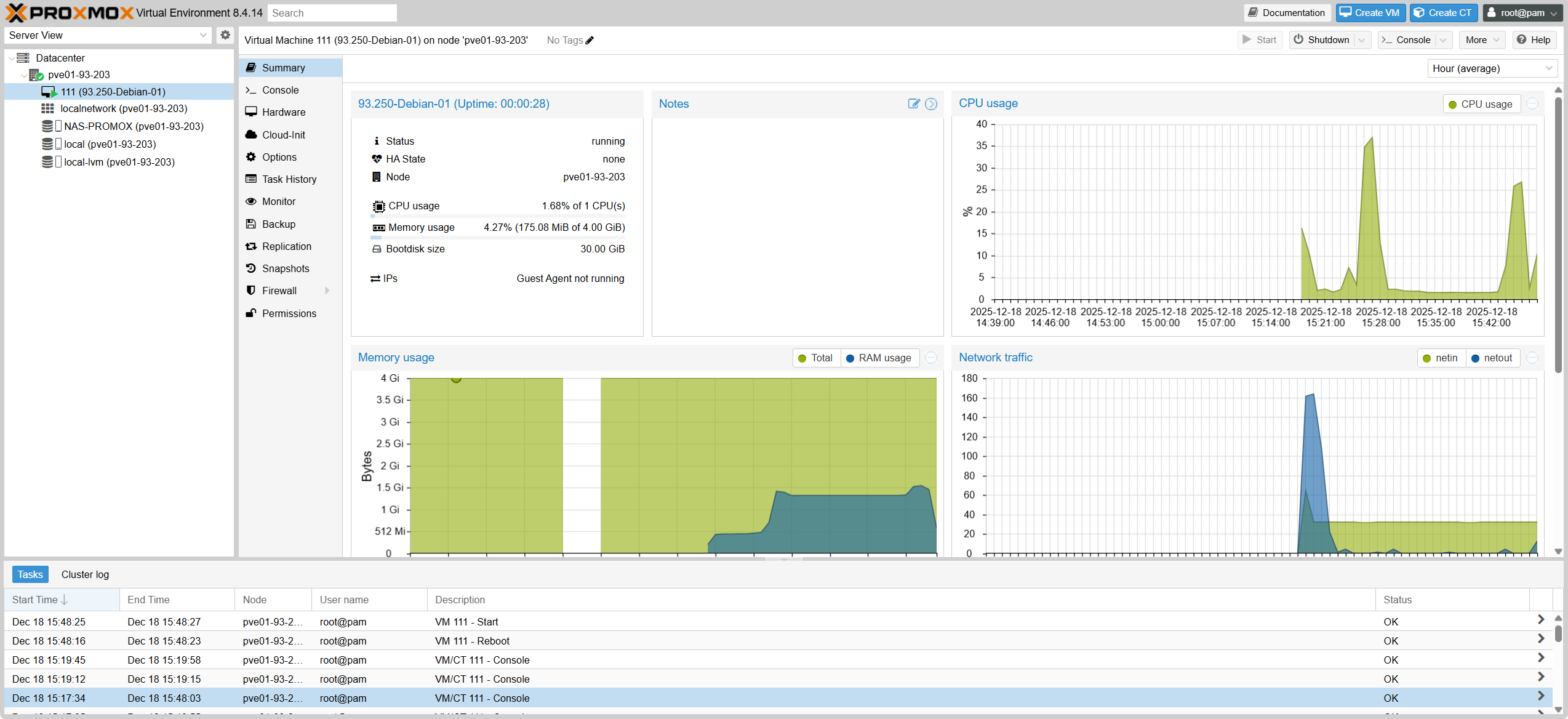 VM Console
Bảng điều khiển VM
VM Console
Bảng điều khiển VM
2. Cấu hình cho Node 93.204Configuration for Node 93.204
Cấu hình tương tự Node 93.203, chỉ thay đổi thông tin IP Address và Hostname. Similar configuration to Node 93.203, just changing IP Address and Hostname details.
Node 93.204 Install
Cài đặt Node 93.204
2.1 Tạo thêm IP (VLAN sub-interface) cho Node 93.204Create IP (VLAN sub-interface) for Node 93.204
- 2.1.1: Tạo VLAN 100 với profile “vmbr0.100” & IP: 172.16.100.204/24 (VLAN100-STORAGE) 2.1.1: Create VLAN 100 with profile “vmbr0.100” & IP: 172.16.100.204/24 (VLAN100-STORAGE)
- 2.1.2: Tạo VLAN 200 với profile “vmbr0.200” & IP: 172.16.200.204/24 (VLAN200-vMotion) 2.1.2: Create VLAN 200 with profile “vmbr0.200” & IP: 172.16.200.204/24 (VLAN200-vMotion)
2.2 Ping kiểm tra kết nối (Verify Connection)Ping Check (Verify Connection)
root@lab-doanh:~# ping -c 5 172.16.100.203
root@lab-doanh:~# ping -c 5 172.16.200.203
2.3 Chuẩn hóa Hostname (Hostname Setup)Normalize Hostname (Hostname Setup)
hostnamectl set-hostname pve02-93-204
nano /etc/hosts
# Change: 10.10.93.204 pve02-93-204